
TimeBlock HUD
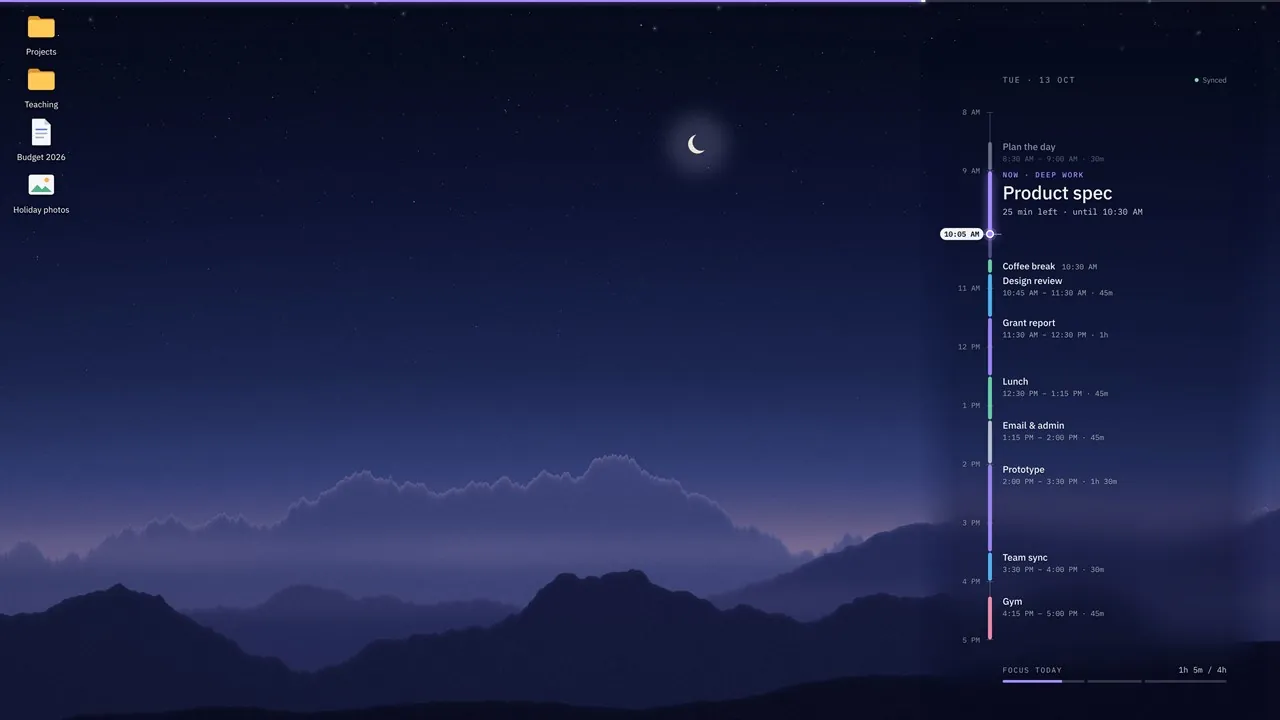
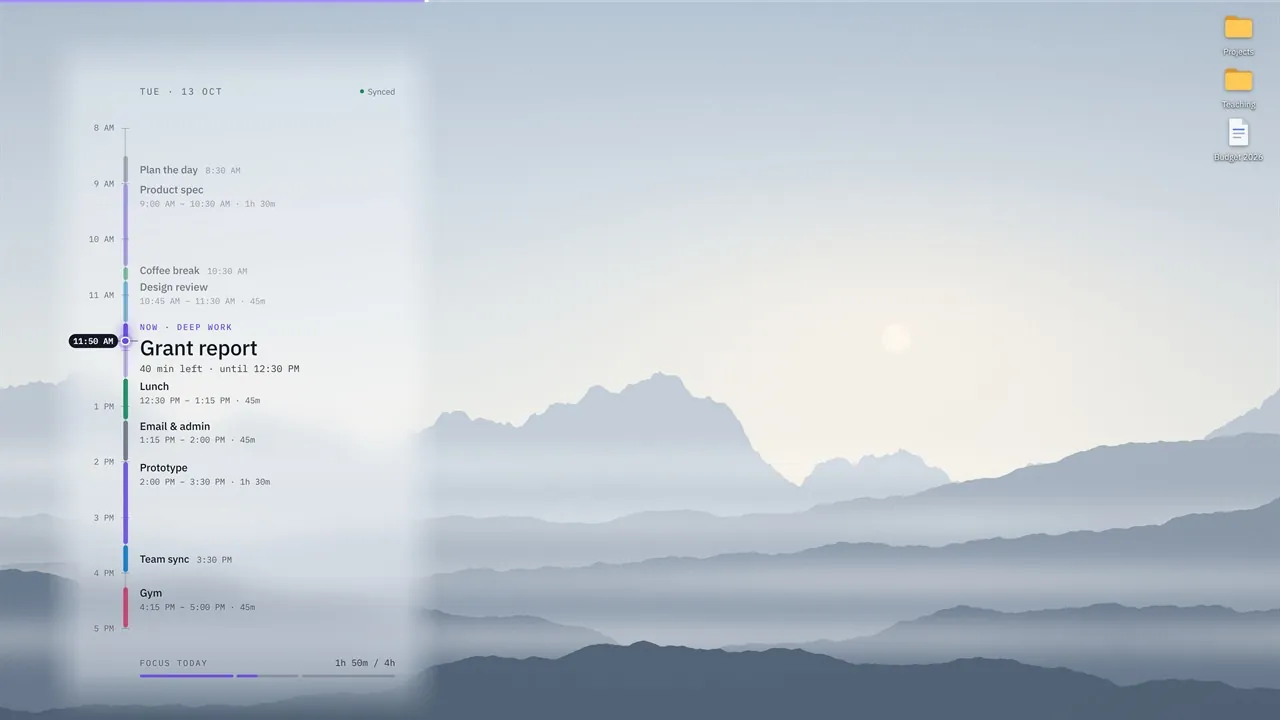
TimeBlock HUD puts your day on your desktop: your time blocks and calendar events become a quiet timeline on your wallpaper, behind your icons and every window.

One-time purchase
About TimeBlock HUD
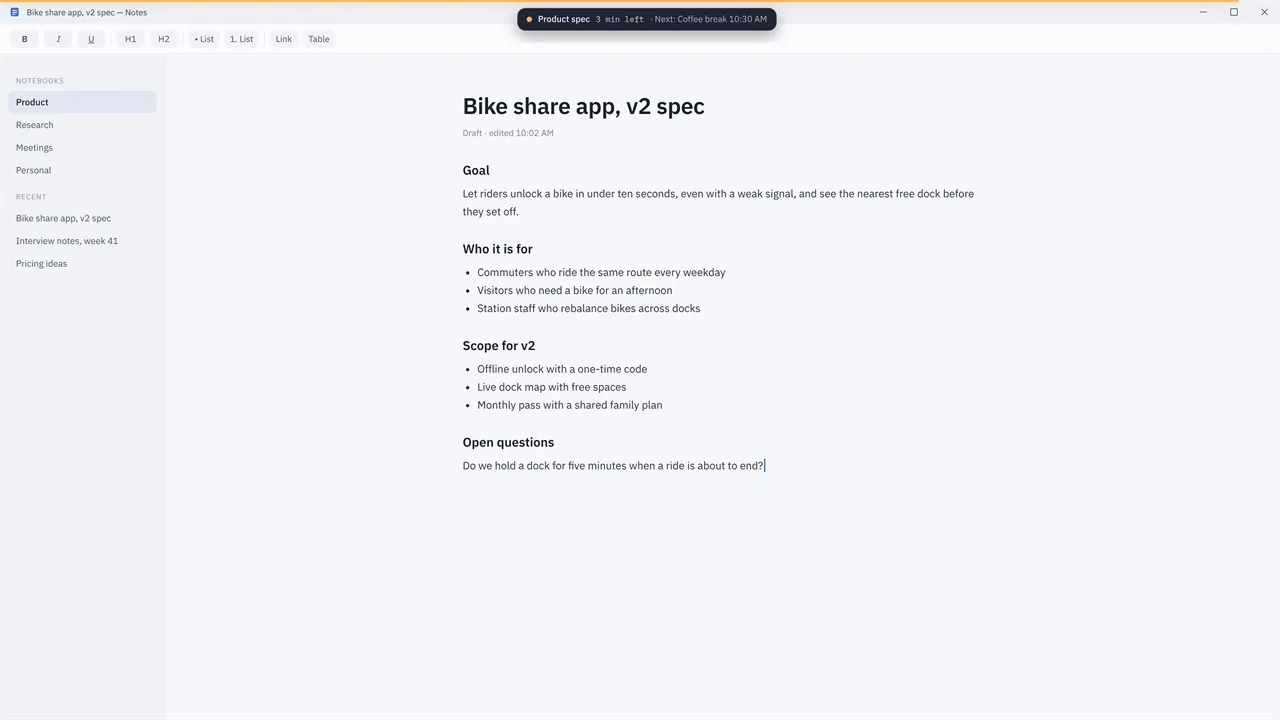
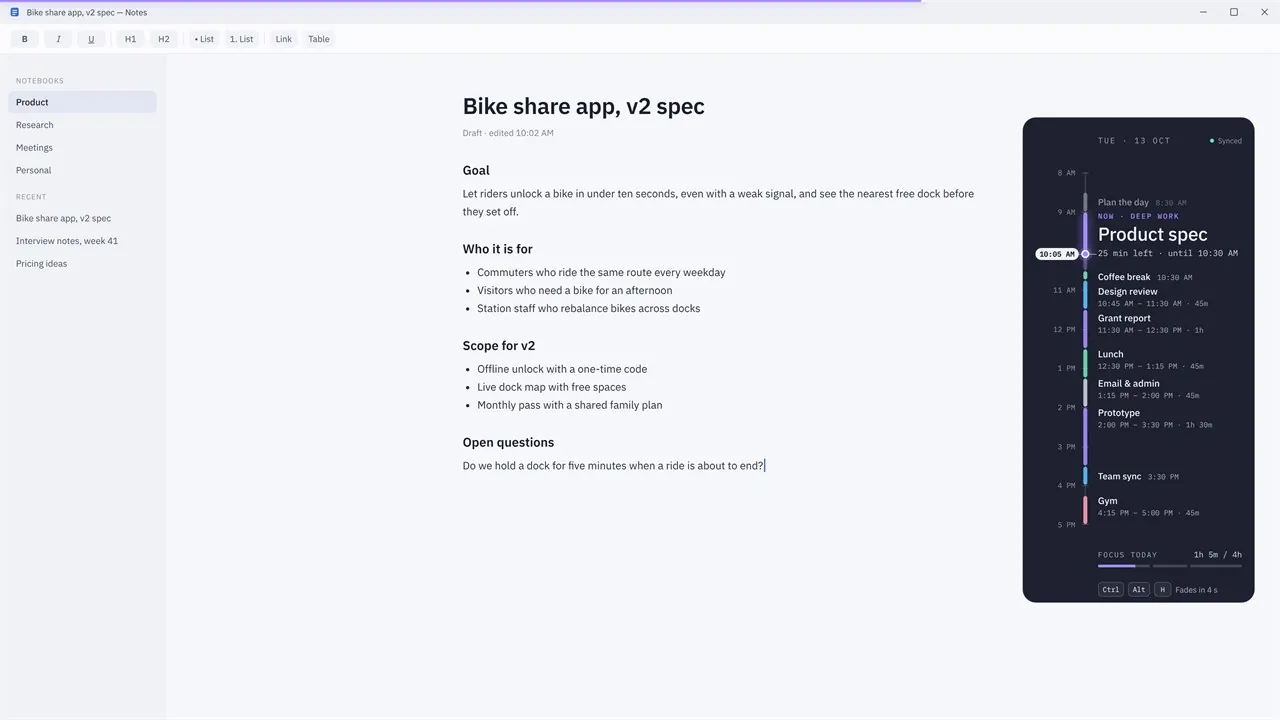
Press Win + D and your plan is there, with no app to open. A thin focus bar on the top or bottom edge of the screen fills as your current block runs, turns amber in the last minutes and sweeps when the next block starts. Rest the pointer on the edge to see what's now and what's next, or press Ctrl + Alt + H to glance at today above any window.
Paste a private calendar link (iCal, .ics) from Google Calendar, Outlook.com or any calendar app. Repeating events, moved meetings and time zones are handled, and the last copy stays on your PC for offline use. Or simply add your own blocks. Blocks take a color from their title, for deep work, meetings, admin, breaks and personal time, and a summary shows how much deep work you planned today and how much is done.
Clicks pass through the focus bar, it steps aside for full-screen videos, games and presentations, and it stays out of screen sharing. Choose the side, size, opacity and clock format, and use your own wallpaper or one of five built-in scenes, on every display. There is no account, no ads and no tracking; the app only downloads the calendar links you add.
Key features
- Your day's schedule drawn on the desktop wallpaper, behind icons and windows
- A thin focus bar on the screen edge that fills as the current block runs
- An ending-soon warning, and a gentle sweep when the next block starts
- Glance at today above any window with Ctrl + Alt + H
- Google Calendar, Outlook.com and other calendars through private iCal (.ics) links
- Repeating events, moved meetings and time zones handled
- Works offline with the last downloaded calendar
- Add your own time blocks, with or without a calendar
- Colors for deep work, meetings, admin, breaks and personal time
- A daily deep-work summary: planned and done
- Steps aside in full-screen apps and stays out of screen sharing
- Your own wallpaper or five built-in scenes, on every display
- No account, no ads, no tracking
Who it's for
Anyone who plans the day in time blocks and wants to see what's now and what's next without opening another window.