Lumina Calendar
تقويم لومينا
Lumina Calendar is a fast calendar for daily life that understands plain English and Arabic, works offline and keeps everything on your own PC.

One-time purchase. Free trial available.
About Lumina Calendar
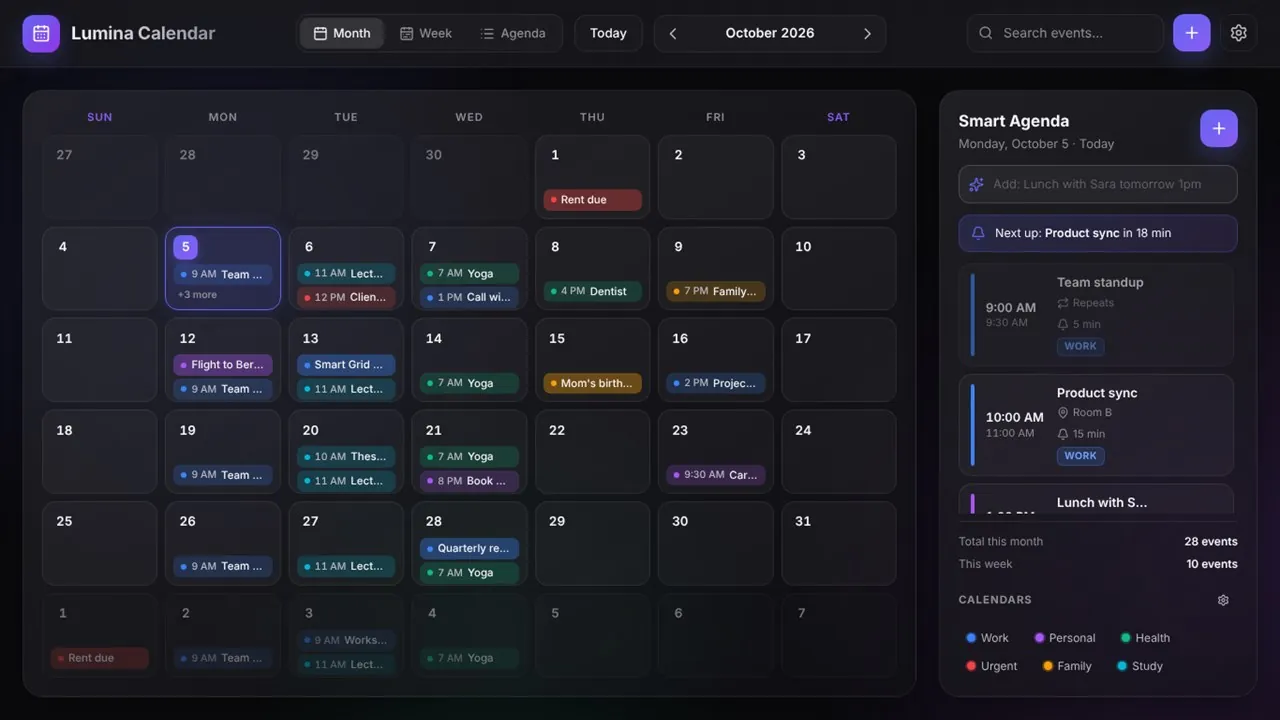
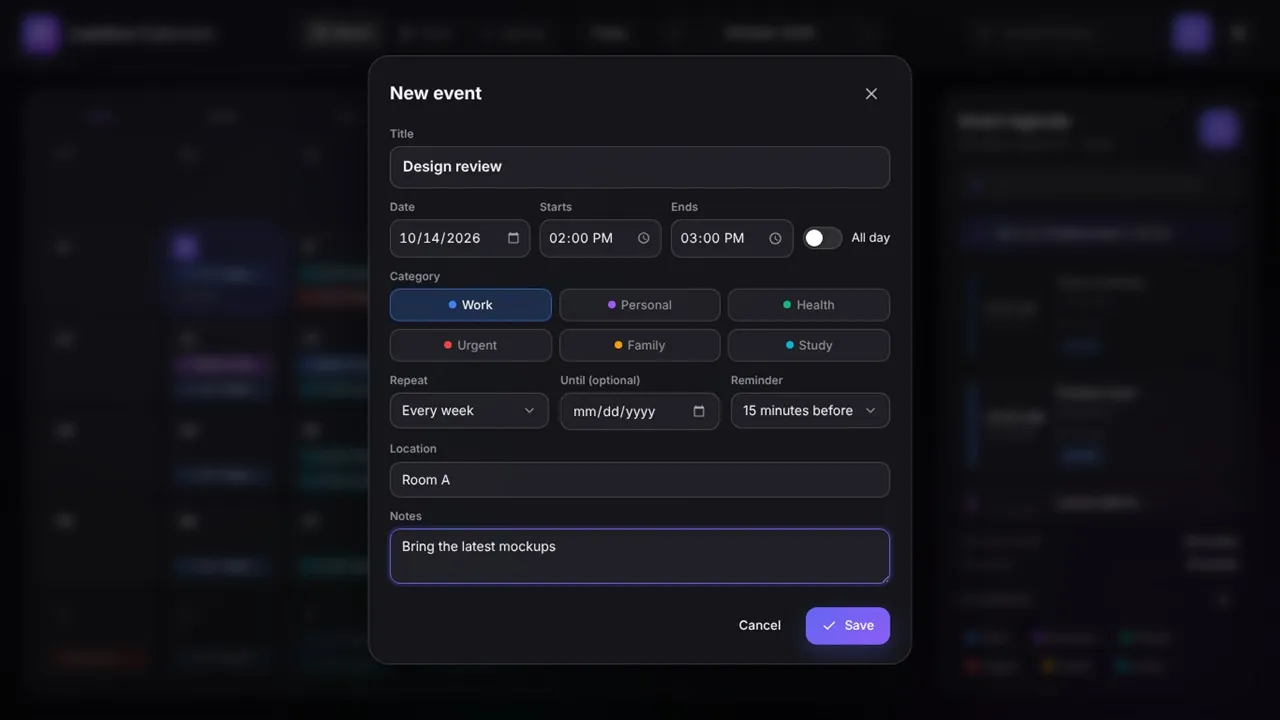
Just type it: “Lunch with Sara tomorrow 1pm for 2 hours, remind me 30 min before at Cafe Nero.” Lumina understands dates, times, repeats, reminders and places in English and in Arabic, and shows a live preview of how it read your words before you press Enter.
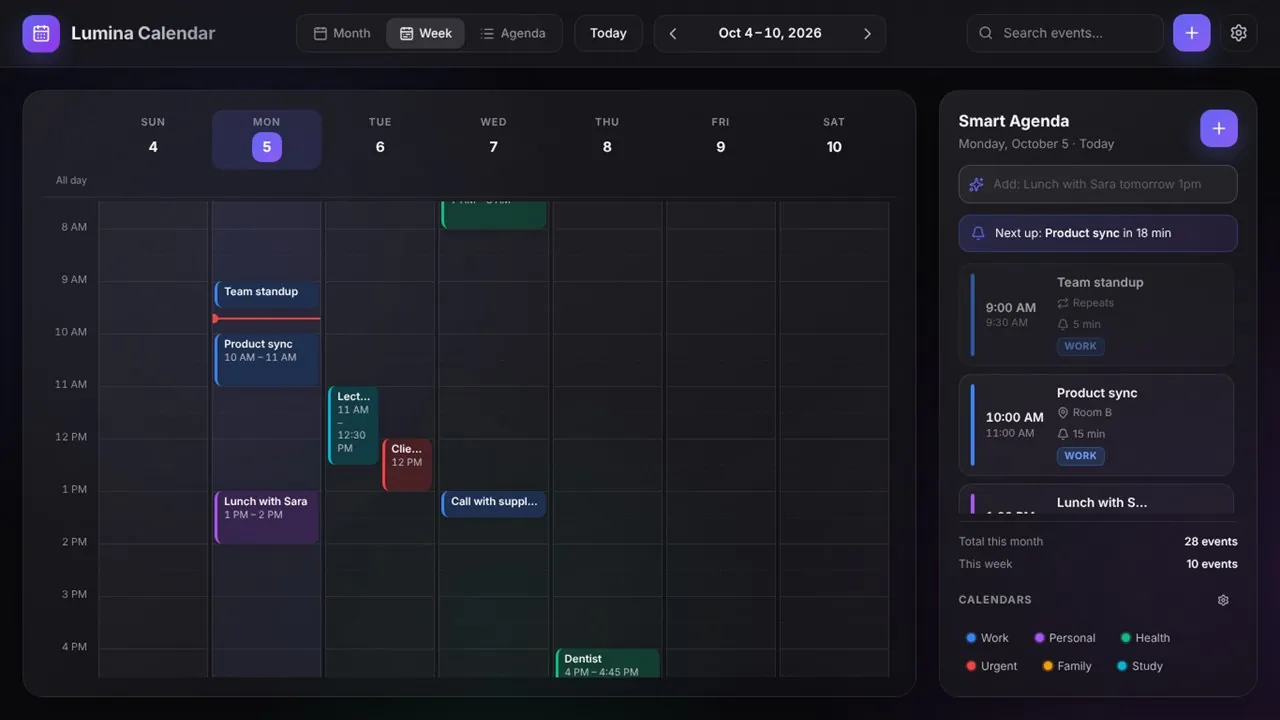
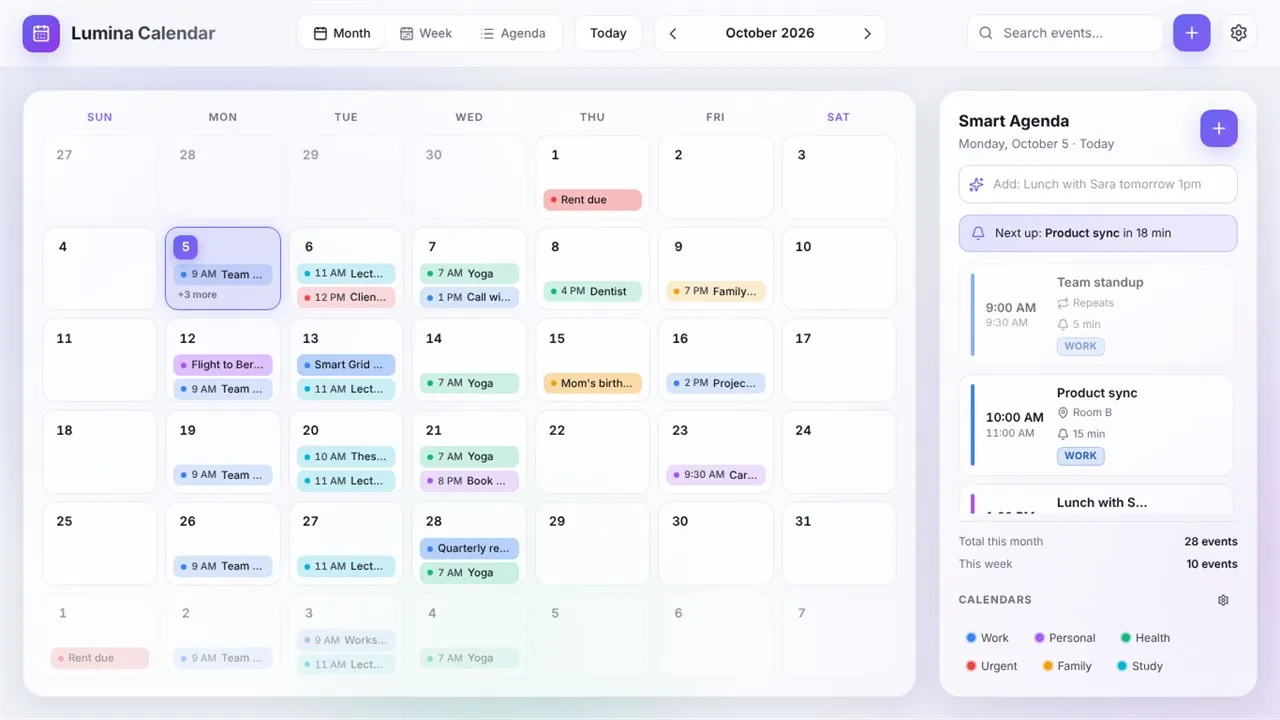
Plan in month, week or agenda view, with color-coded calendars you can rename, add, hide or show. The Smart Agenda sidebar lists today's events, counts down to the next one and warns you when two events overlap. Subscribe to public calendar feeds such as holidays or timetables, set repeating events, and get reminders as Windows notifications. You can also hand important events to Windows Calendar or Outlook, so Windows reminds you even when Lumina is closed.
The Arabic interface is fully right-to-left, with optional Hijri dates next to the Gregorian calendar, Western or Arabic-Indic digits, and a week that starts on Saturday, Sunday or Monday. Everything is stored on your PC. Choose a sync folder, for example in OneDrive, to keep your calendar backed up and in sync between your PCs without any account.
Key features
- Quick add in plain English or Arabic, with a live preview
- Month, week and agenda views with color-coded events
- Smart Agenda sidebar with a “Next up” countdown and overlap warnings
- Several calendars, plus subscriptions to public .ics feeds
- Repeating events with an optional end date
- Reminders with Windows notifications and an optional sound
- Hand events to Windows Calendar or Outlook, or share them as invitations
- Sync between your PCs through a OneDrive, Google Drive or Dropbox folder, with no account
- Arabic interface with a full right-to-left layout and optional Hijri dates
- JSON and ICS export and import, including Outlook and Google Calendar exports
- Keyboard shortcuts, and light and dark themes
- Works offline: no account, no cloud, no tracking
Who it's for
Anyone who wants a fast, private calendar in English or Arabic, with Hijri dates when they need them.