Email Management
إدارة الرسائل البريدية
Email Management turns a crowded inbox into a clear list of what to answer first, and helps you answer it.

One-time purchase
About Email Management
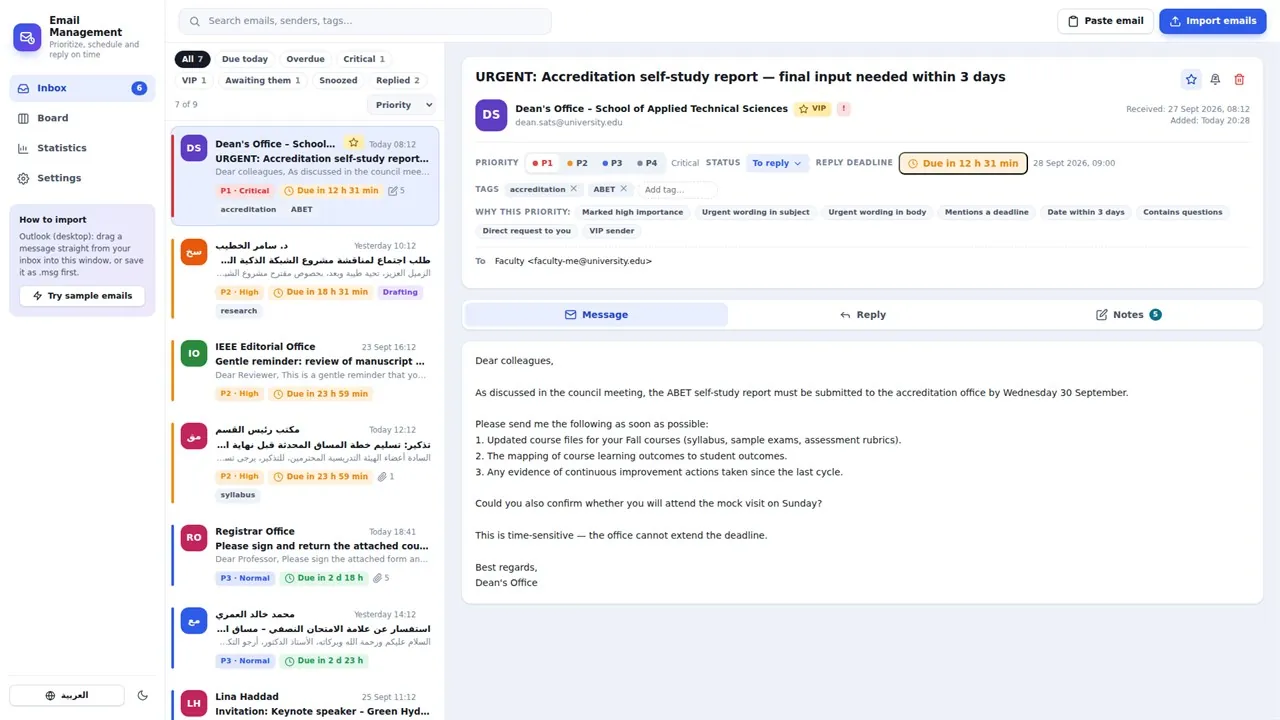
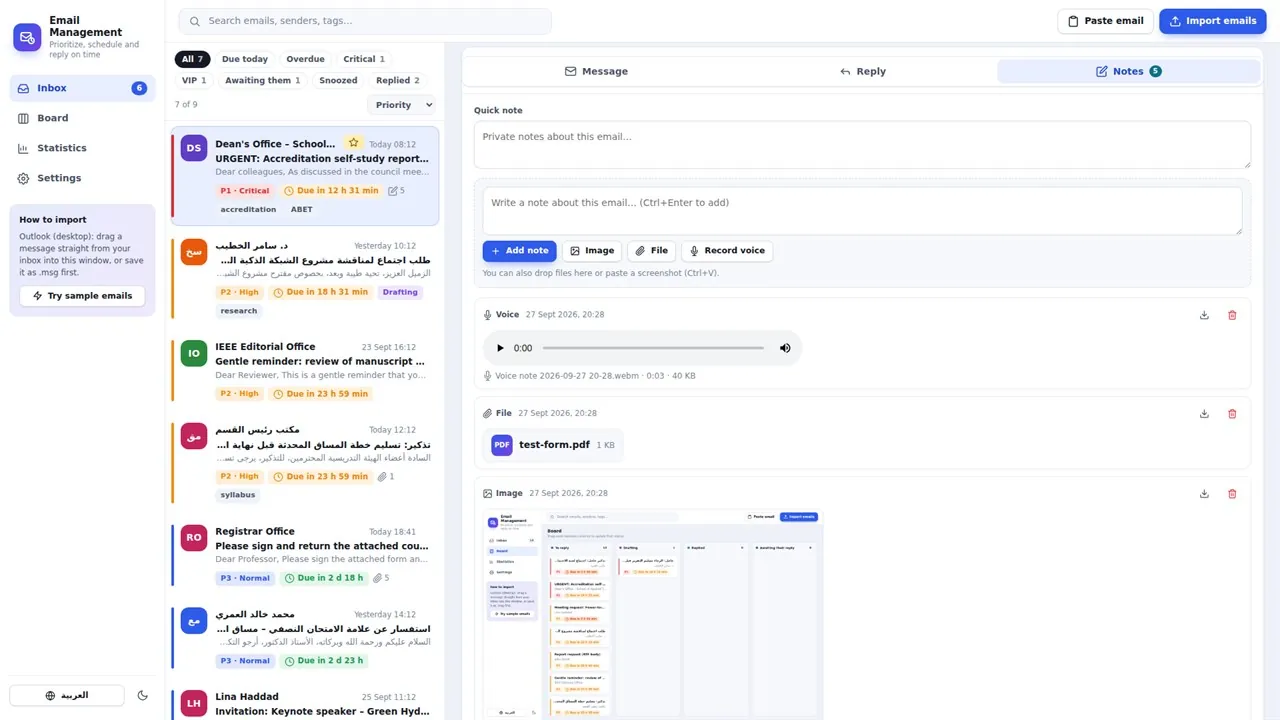
Drag an email from Outlook, or drop an .eml or .msg file, into the app. It reads the whole message, including the sender, body, images and attachments, ranks it by priority, explains why, and proposes a reply deadline with a live countdown. Urgent wording, deadlines, questions and VIP senders are detected in Arabic and English, and you can define your own priority levels, colors and reply times.
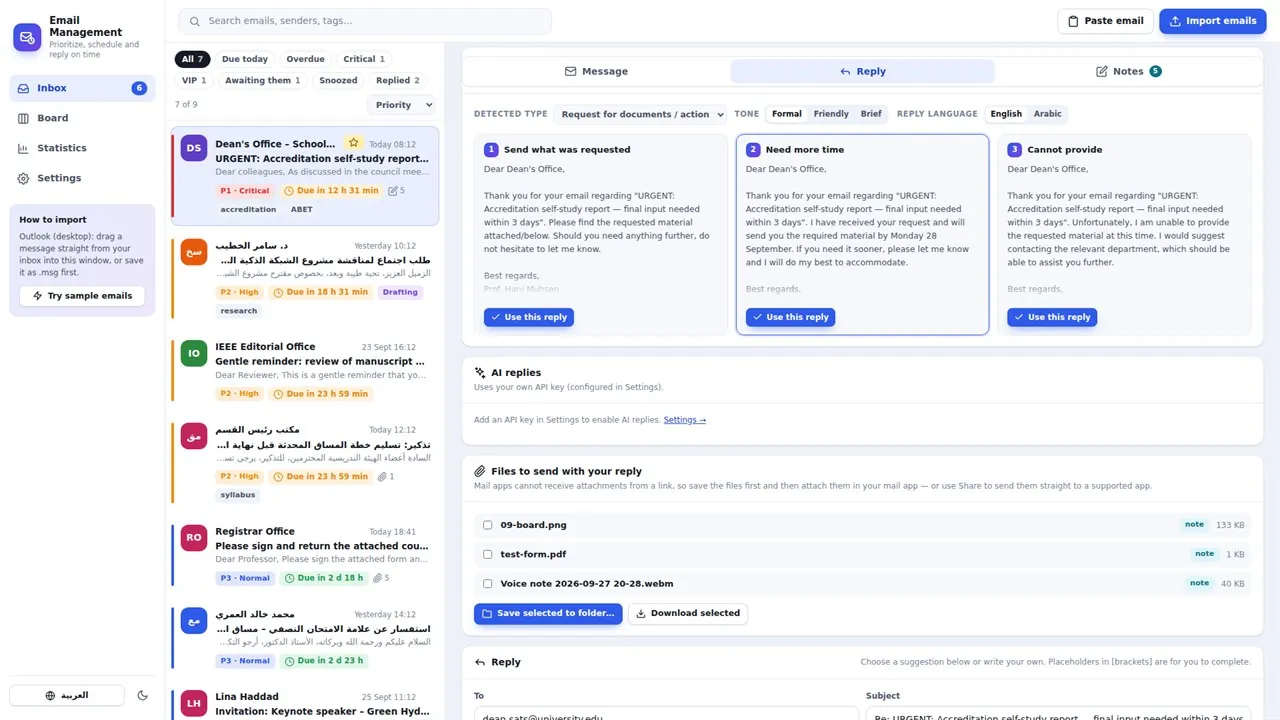
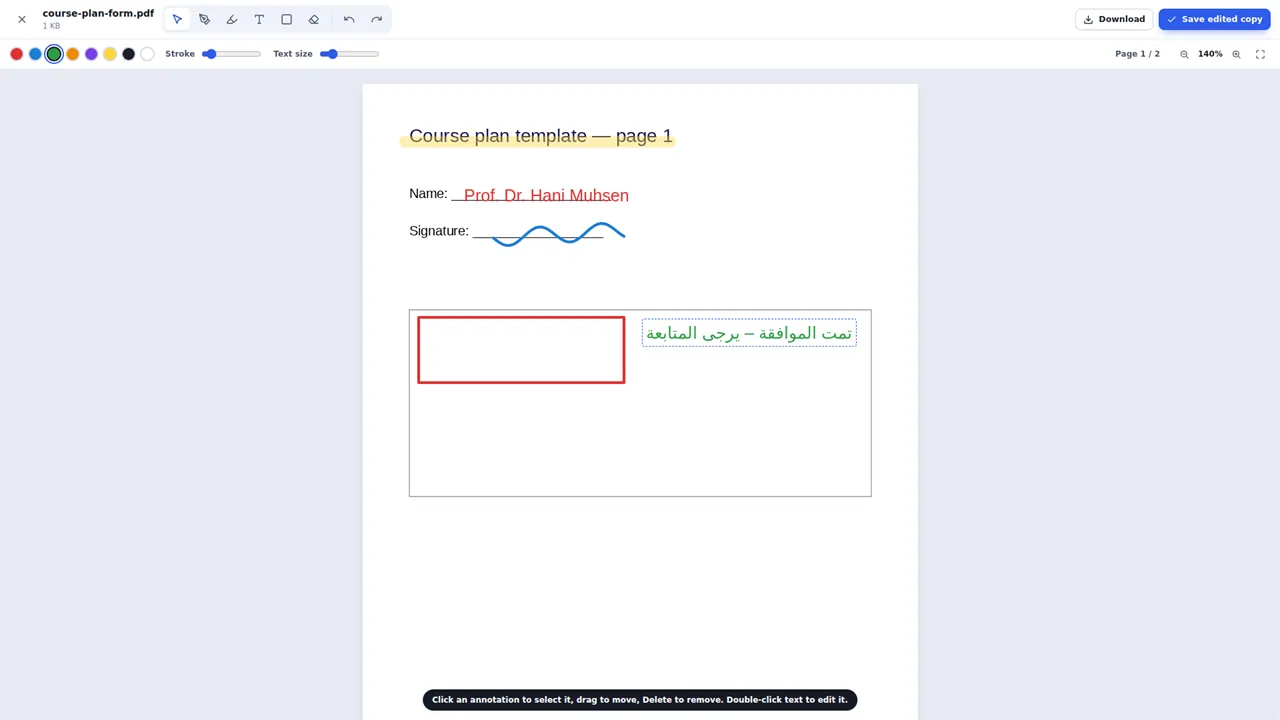
Each email gets three ready-to-send reply suggestions generated on your device, formal, friendly or brief, in Arabic or English, plus templates and a checklist of the points to address. For AI help, add your own API key for Claude, OpenAI, Gemini or a compatible service to draft, shorten, translate or polish a reply. Without a key, the app never sends your emails anywhere. Open PDF and image attachments to sign, highlight and annotate them, and keep notes on any email as text, images, files or voice recordings.
A board tracks every email from To reply through Replied, and statistics show your on-time rate, average reply time and top senders. When you're ready, the reply opens pre-filled in Outlook or your default mail app. Emails, attachments, drafts and notes stay on your computer, with automatic backup to a folder you choose.
Key features
- Automatic priority, with a clear explanation of each ranking
- Your own priority levels: names, colors, order and default reply times
- Reply deadlines with a live countdown, notifications, snooze and follow-up reminders
- Smart replies generated on your device, in Arabic and English
- Optional AI replies with your own API key (Claude, OpenAI, Gemini or compatible)
- Open, sign and annotate PDF and image attachments, and save editable copies
- Notes on every email: text, images, files and voice recordings
- Board view: To reply, Drafting, Replied, Awaiting their reply
- Statistics: on-time rate, average reply time, top senders and weekly trends
- Import by drag and drop from Outlook, from .eml or .msg files, or by pasting
- Works offline, with data on your device and backup to a folder you choose
- Arabic and English interface with a right-to-left layout
Who it's for
Busy professionals, academics and teams who answer a lot of email and never want to miss a reply.