EnergyMap
EnergyMap is a day planner built around a simple fact: most people have a few hours a day when focus comes easily, and a slump after lunch when it doesn't.

One-time purchase
About EnergyMap
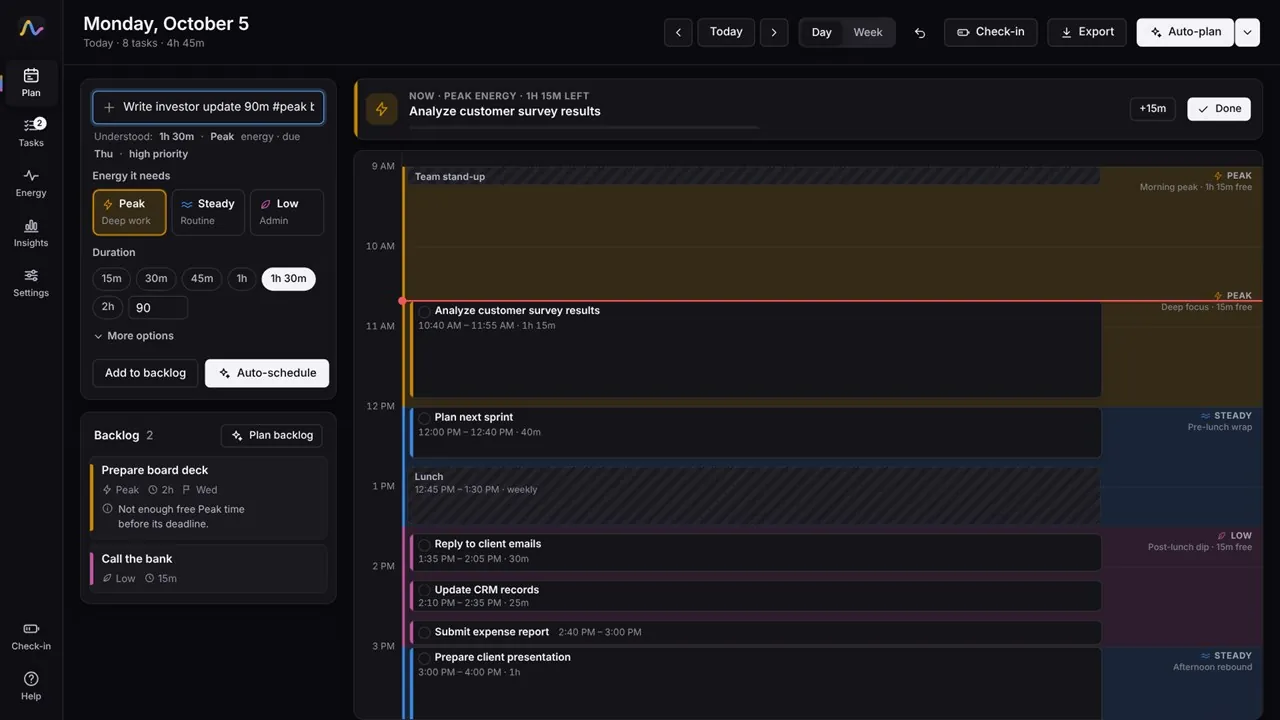
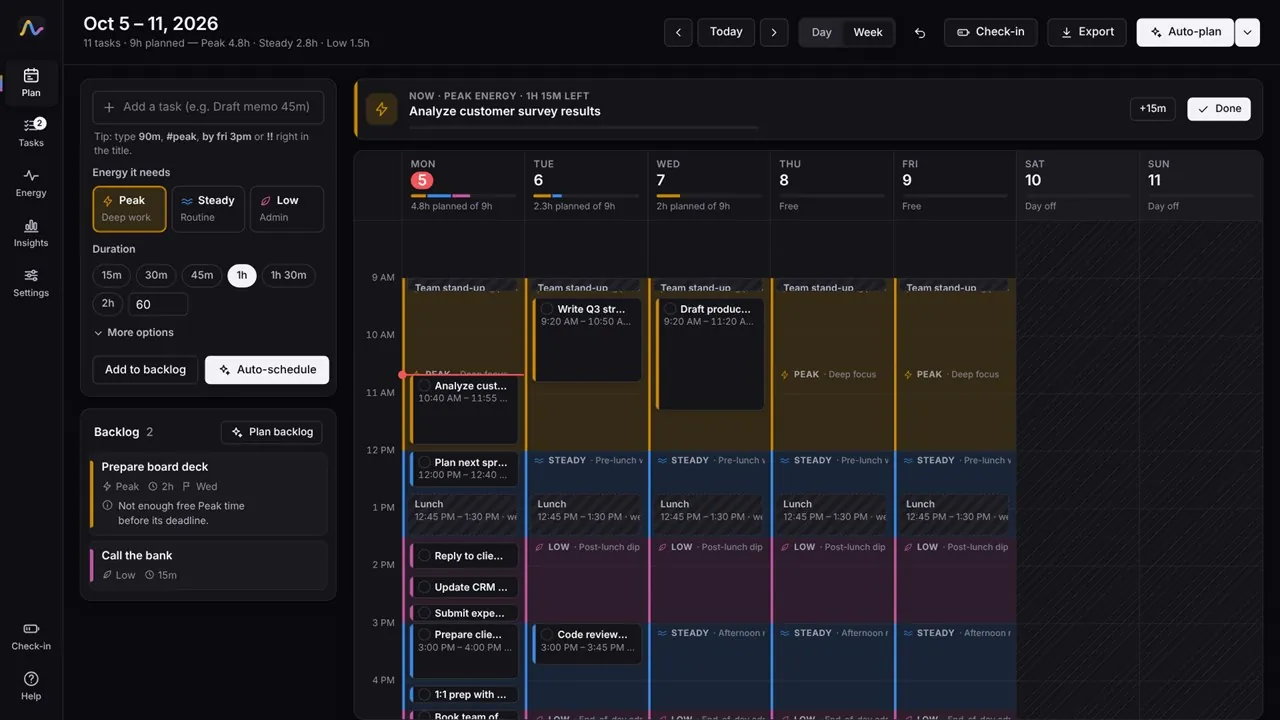
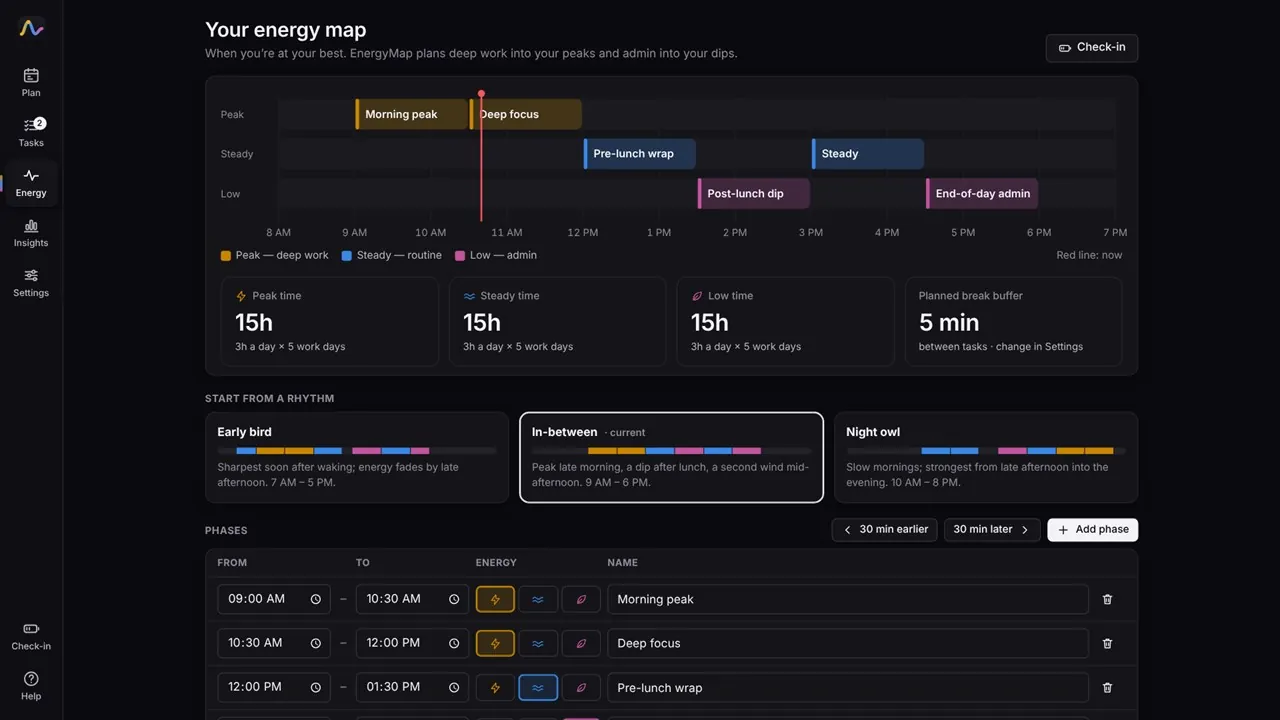
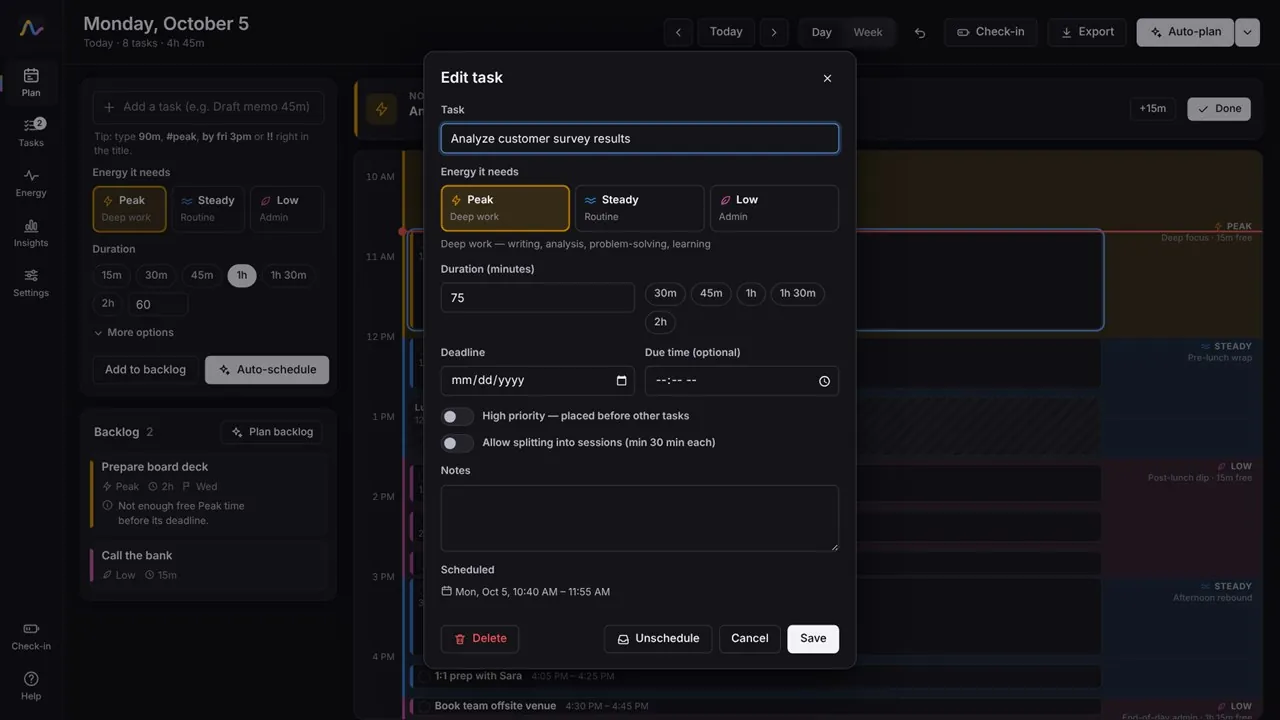
Tell EnergyMap when your energy is Peak, Steady or Low, starting from the Early bird, In-between or Night owl preset, then add your tasks with the energy they need. Press Auto-plan and deep work lands in your peak hours, routine work in steady hours, and email and admin in your dips, earliest deadline first, with a short break between tasks.
Add tasks in plain language: “Write report 90m #peak by Fri” fills in the length, energy and deadline. Import busy times from an Outlook or Google Calendar export (.ics), including recurring meetings, and EnergyMap plans around them. When you're done, send the plan to Google Calendar, Outlook or Apple Calendar as an .ics file with reminders.
Drag a task to a new time and anything it lands on moves to the next free matching slot. If a task can't be scheduled, EnergyMap tells you exactly why and how to fix it. Quick 1 to 5 energy check-ins show how you actually feel through the day and suggest changes to your energy map. EnergyMap is a planning tool, not medical advice.
Key features
- Auto-plan tasks into your Peak, Steady and Low energy hours
- Early bird, In-between and Night owl presets, fully editable
- Natural-language quick add: “Write report 90m #peak by Fri”
- Deadlines, priorities, and long tasks split into sessions
- Day and week timeline with drag-and-drop and resize
- Clear reasons when a task can't be scheduled, and how to fix it
- Import busy times from Outlook or Google Calendar (.ics), including recurring meetings
- Export your plan to any calendar (.ics) with reminders
- A “Now” bar with Done, +15 minutes and start-a-task-now
- Energy check-ins and insights on your real daily rhythm
- Any work week, including Sunday to Thursday
- Works offline, with daily automatic backups; no account, ads or tracking
Who it's for
Anyone who wants their hardest work to land in the hours when focus comes easily, around meetings, classes and everything else on the calendar.