Rasmora Studio
Rasmora Studio brings digital painting, illustration, typography, animation and 3D studies into one desktop workspace.

One-time purchase. Free trial available.
About Rasmora Studio
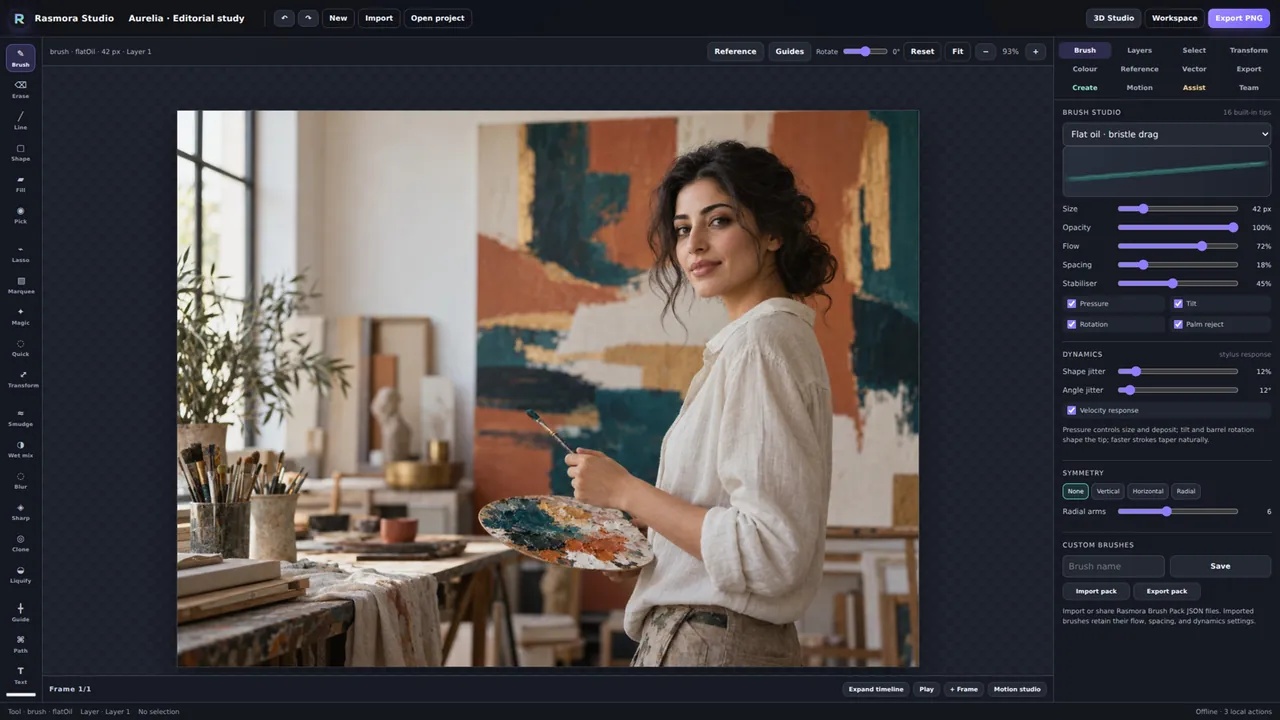
Start with 16 brush presets, from pencil, ink and marker to charcoal, airbrush, oil, watercolor and texture, and tune opacity, flow, spacing and dynamics, or build your own brushes and share them as brush packs. Pressure, tilt and rotation respond on compatible pens. Organize your painting with layers, groups, masks, clipping and blend modes, adjust curves, color balance, hue and saturation without changing the original pixels, and reshape areas with selections, transforms, warp and liquify.
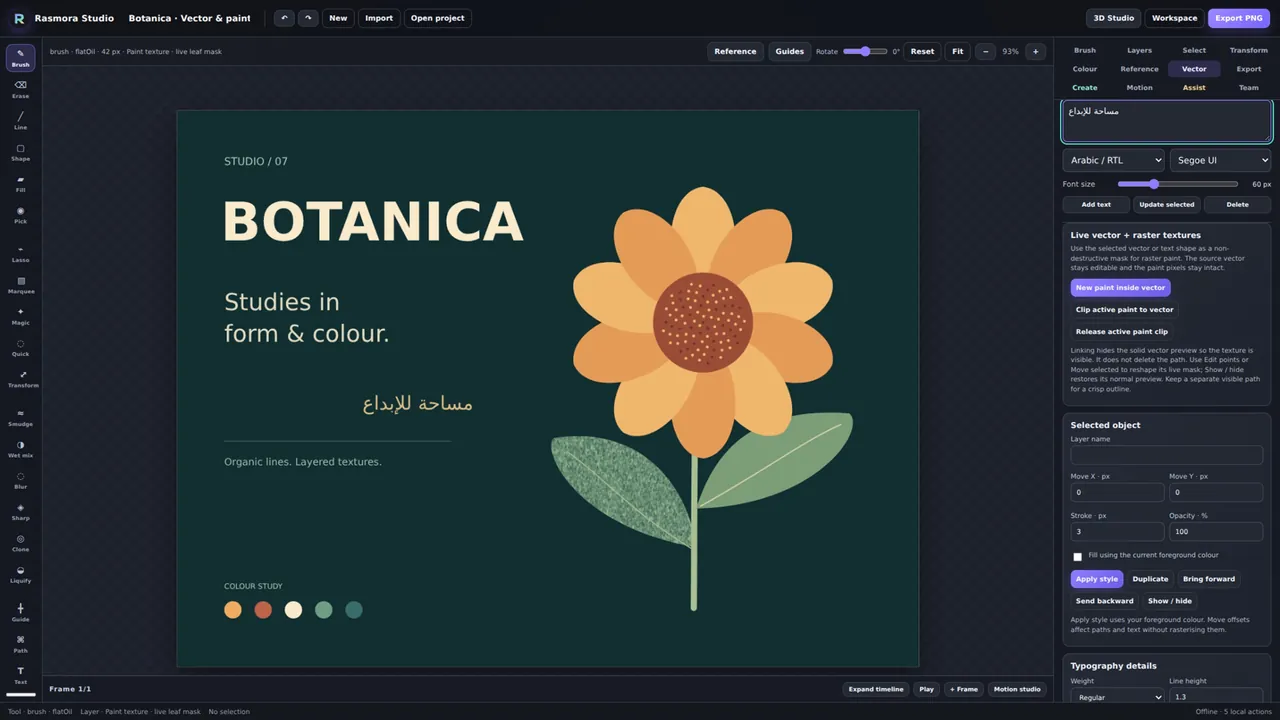
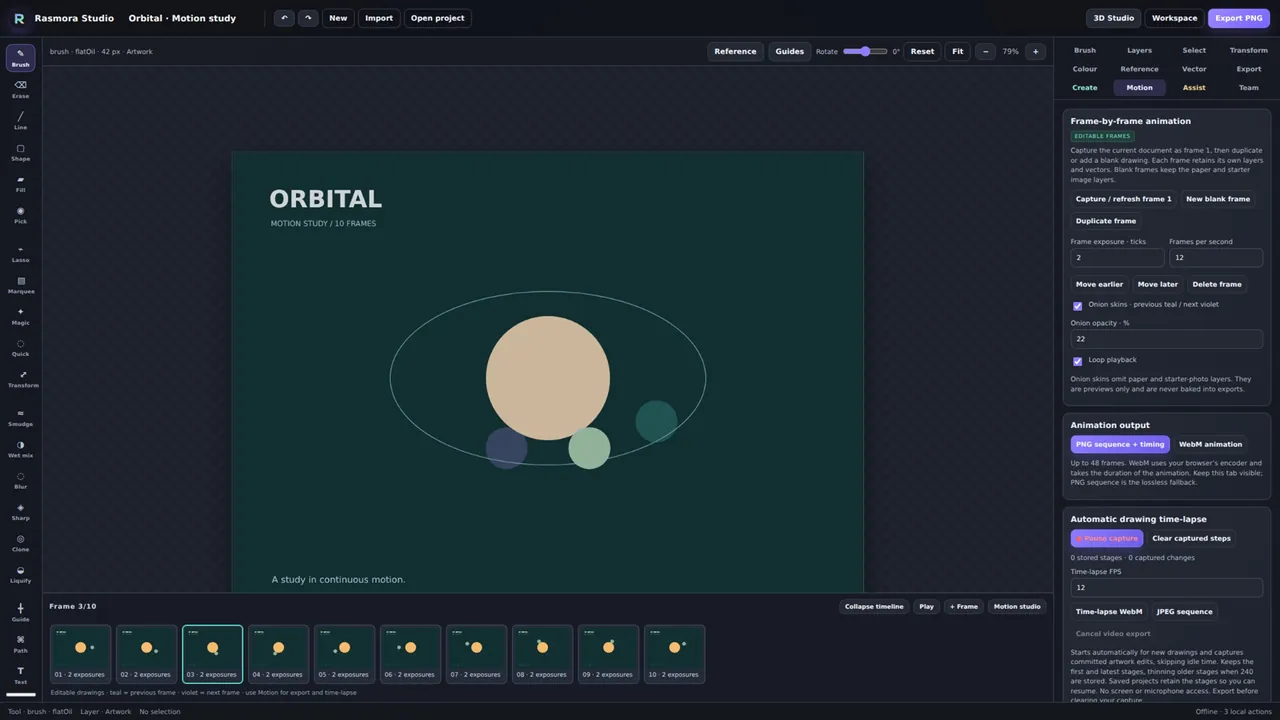
Combine color, vector and text: a color wheel with RGB, HEX and HSV values, palettes and wet mixing; editable Bézier paths and shapes, with raster textures painted inside live vector masks; and multiline Arabic and English text with right-to-left support. Bring studies to life with frame-by-frame animation and onion skins, capture each drawing stage automatically for a speedpaint time-lapse, and export image sequences or WebM video.
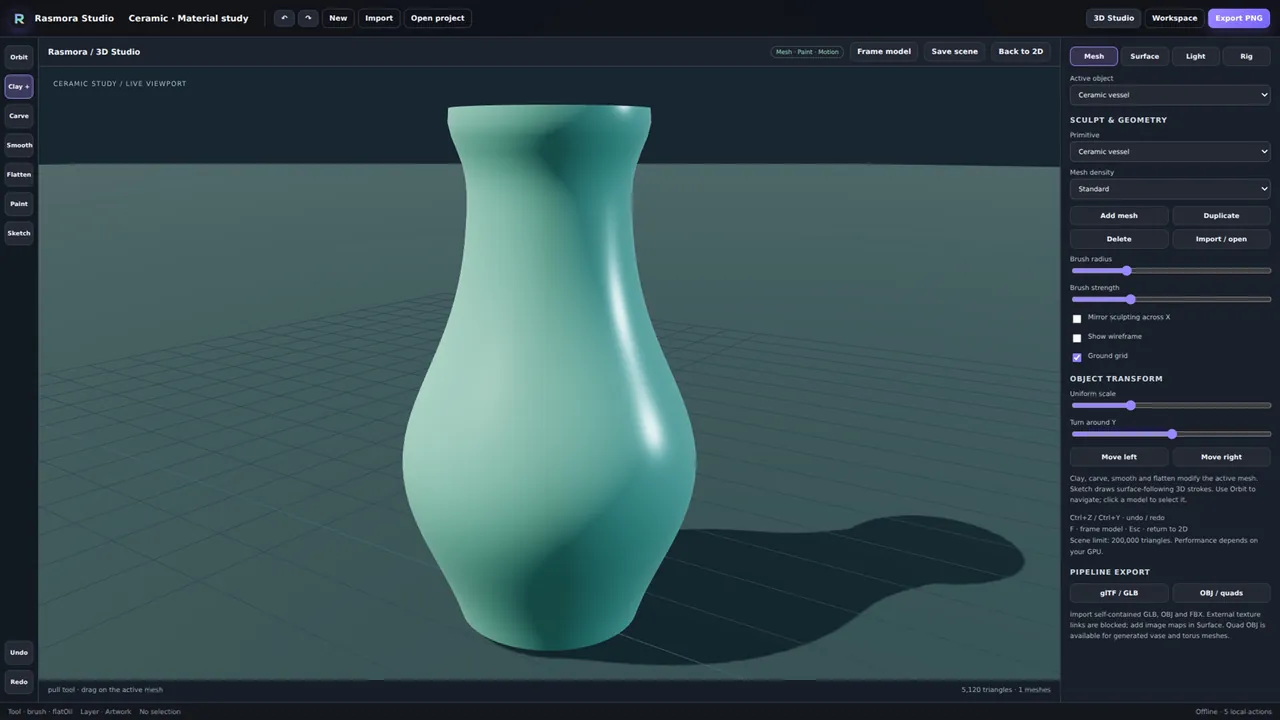
The 3D studio lets you sculpt, carve, smooth and flatten meshes, paint texture layers, generate UV islands and set base color, roughness, metallic and normal maps, then light the scene or render it locally with path tracing. Add a simple four-bone rig with pose keys and export the animation as GLB, import GLB, OBJ and FBX, and export GLB or OBJ. Projects are saved on your PC, and the core tools work offline.
Raster documents are 1200 × 900 pixels, PSD export is flattened, and 3D needs WebGL 2 and compatible graphics hardware. The optional Team server and AI image edits need your own separately configured server or provider account.
Key features
- 16 brush presets with custom dynamics, flow and opacity, plus brush packs
- Pen pressure, tilt and rotation on compatible devices
- Layers, groups, masks, clipping and blend modes
- Editable curves, color balance, hue and saturation adjustments
- Lasso, marquee, wand and Quick Selection; warp and liquify
- Color wheel, RGB/HEX/HSV values, palettes and wet color mixing
- Bézier paths, shapes and live vector masks for raster painting
- Arabic and English typography with right-to-left support
- Perspective grids, canvas rotation and radial or mirror symmetry
- Frame animation with onion skins; image sequences and WebM export
- Automatic speedpaint time-lapse capture
- 3D sculpting, texture painting, UV generation and local path tracing
- Basic bone rig and GLB animation export; GLB, OBJ and FBX import
- Export PNG, JPG, TIFF, flattened PSD, SVG and a CMYK PDF proof
Who it's for
Illustrators, students and hobby artists who want painting, vector work, animation and 3D studies in one app, including artists who letter in Arabic.