ChromaCanvas Pro
ChromaCanvas Pro is a fast digital painting studio for Windows, with pressure-sensitive brushes, real layers and blend modes, and it works completely offline.

One-time purchase
About ChromaCanvas Pro
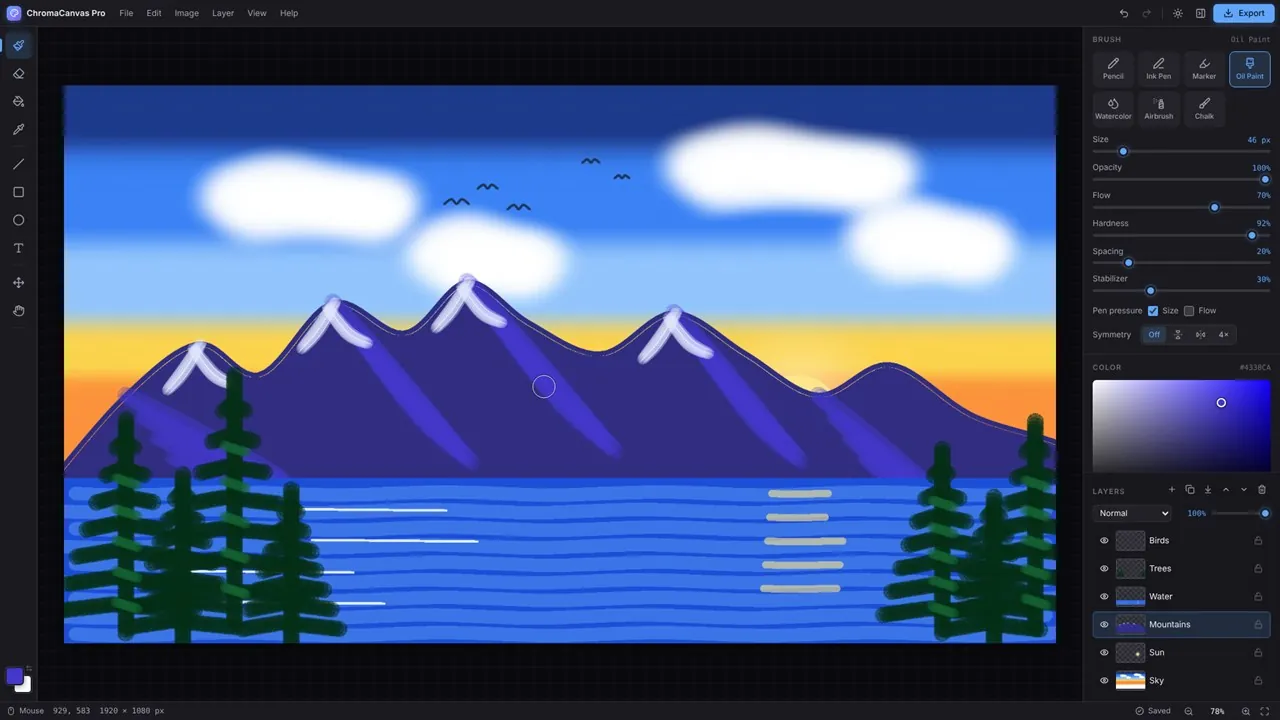
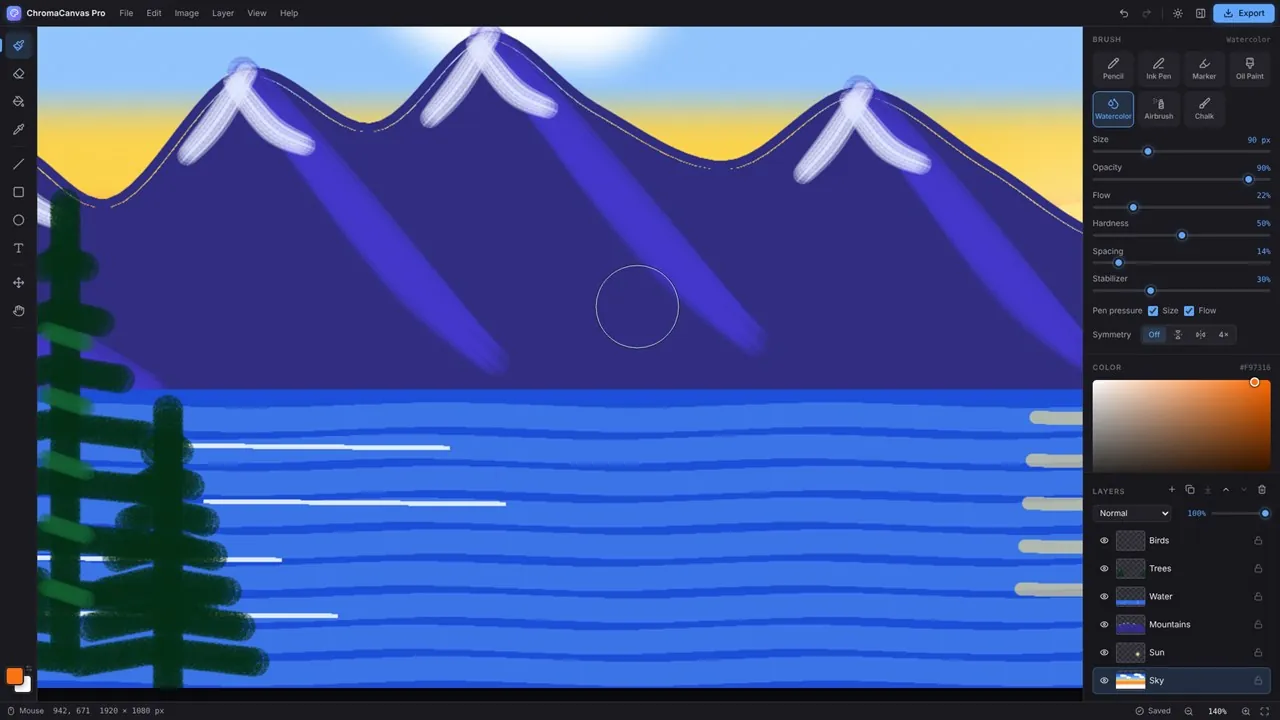
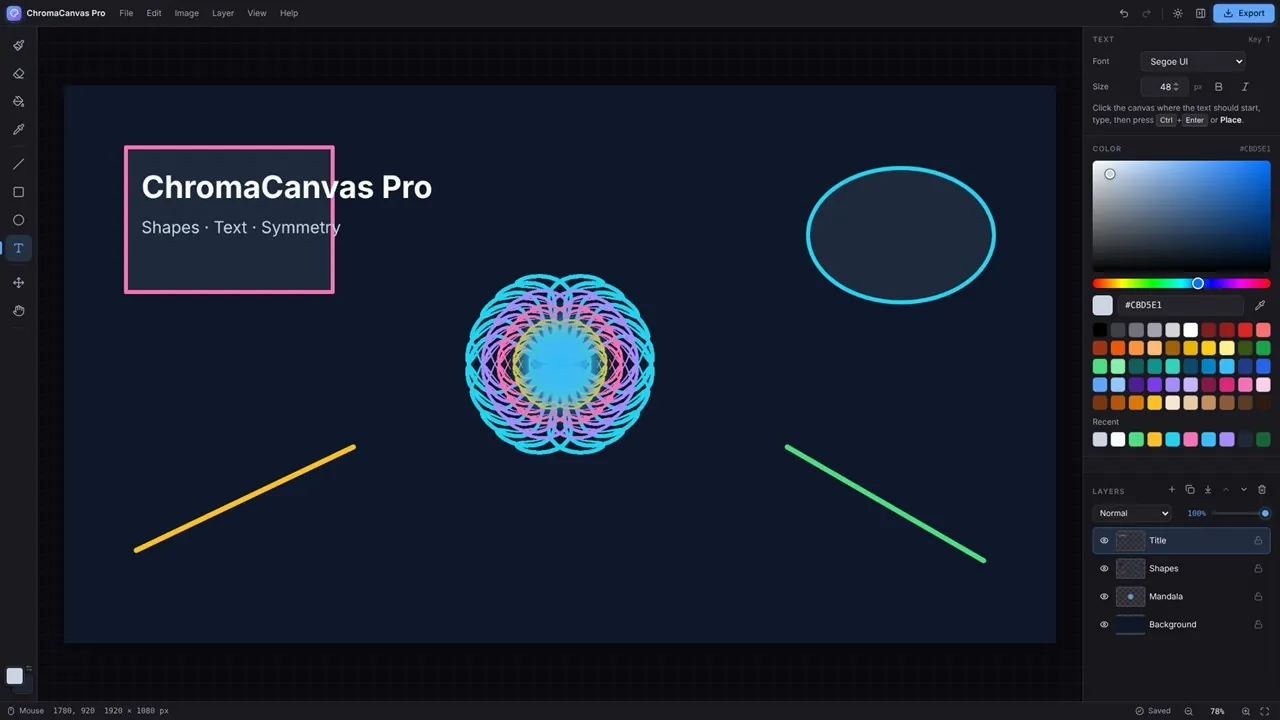
Paint with seven brushes (Pencil, Ink Pen, Marker, Oil Paint, Watercolor, Airbrush and Chalk) plus a pressure-aware eraser, each with control over size, opacity, flow, hardness, spacing and stroke stabilization. Pen pressure works with Surface Pen, Wacom and any Windows Ink pen. Symmetry painting mirrors your strokes left and right, top and bottom, or four ways.
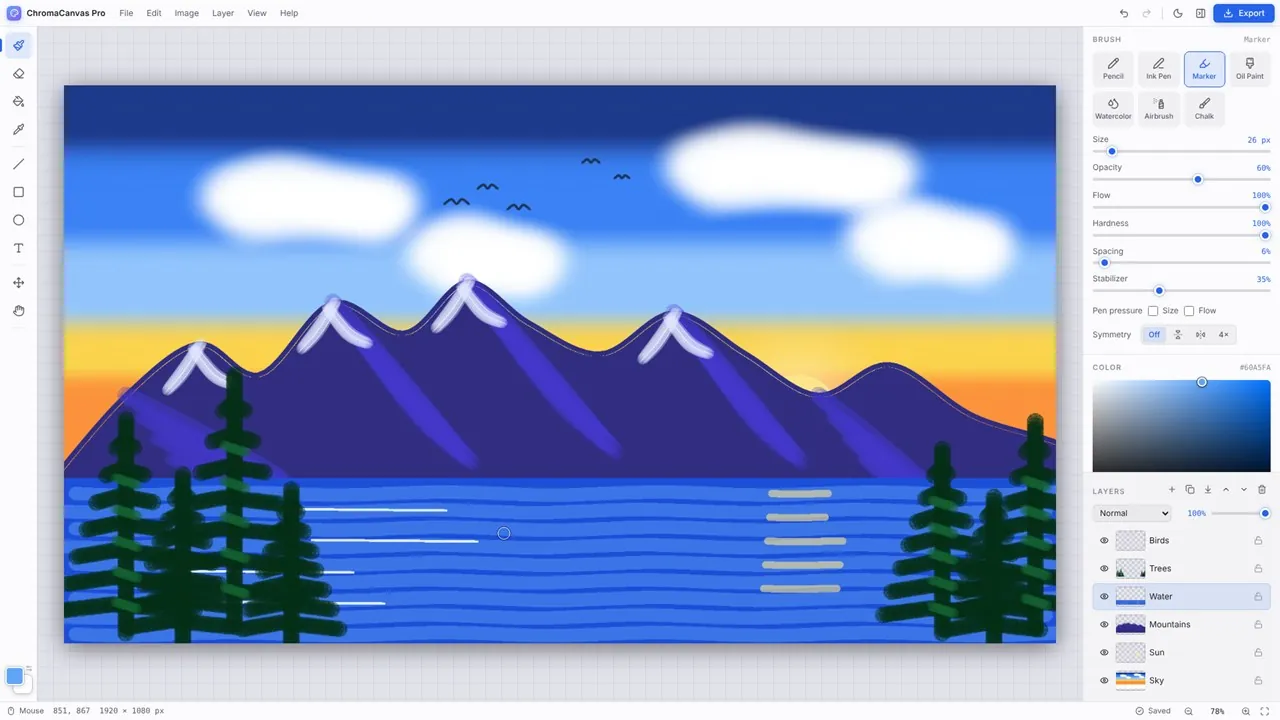
Layers are unlimited, with visibility, lock, opacity and 16 blend modes such as Multiply, Screen, Overlay and Soft Light. Reorder, duplicate, merge down or flatten, with unlimited undo and redo. Zoom from 3% to 3200%, and start from presets for Full HD, 4K, square, Instagram or A4 and Letter at 300 dpi, or set any size up to 8192 × 8192.
Open PNG, JPEG, WebP, GIF, BMP and SVG files, import images as layers or paste from the clipboard. Save editable projects with every layer intact, and export PNG with transparency, JPEG or WebP at any scale. Autosave keeps your canvas where you left it, and your artwork never leaves your device.
Key features
- 7 pressure-sensitive brushes: Pencil, Ink Pen, Marker, Oil Paint, Watercolor, Airbrush and Chalk
- Unlimited layers with 16 blend modes, opacity, lock and drag-and-drop reorder
- Unlimited undo and redo
- Symmetry painting: mirror and 4-way
- Shapes, flood fill, text and eyedropper tools
- Zoom from 3% to 3200%, pan and grid overlay
- Open PNG, JPEG, WebP, GIF, BMP and SVG; import as layers; paste from the clipboard
- Save editable projects; export PNG, JPEG or WebP at any scale
- Canvas presets, or any size up to 8192 × 8192 pixels
- Light and dark themes in the Windows 11 Fluent style
- Works 100% offline: no account, no tracking
Who it's for
Digital artists, illustrators, students, teachers and designers who want a clean, modern paint app that feels at home on Windows 11.