Keyshow
Your viewers can't see your hands. Keyshow shows them every shortcut you press, so you never have to read shortcuts out loud.

One-time purchase. Pro is a one-time upgrade.
About Keyshow
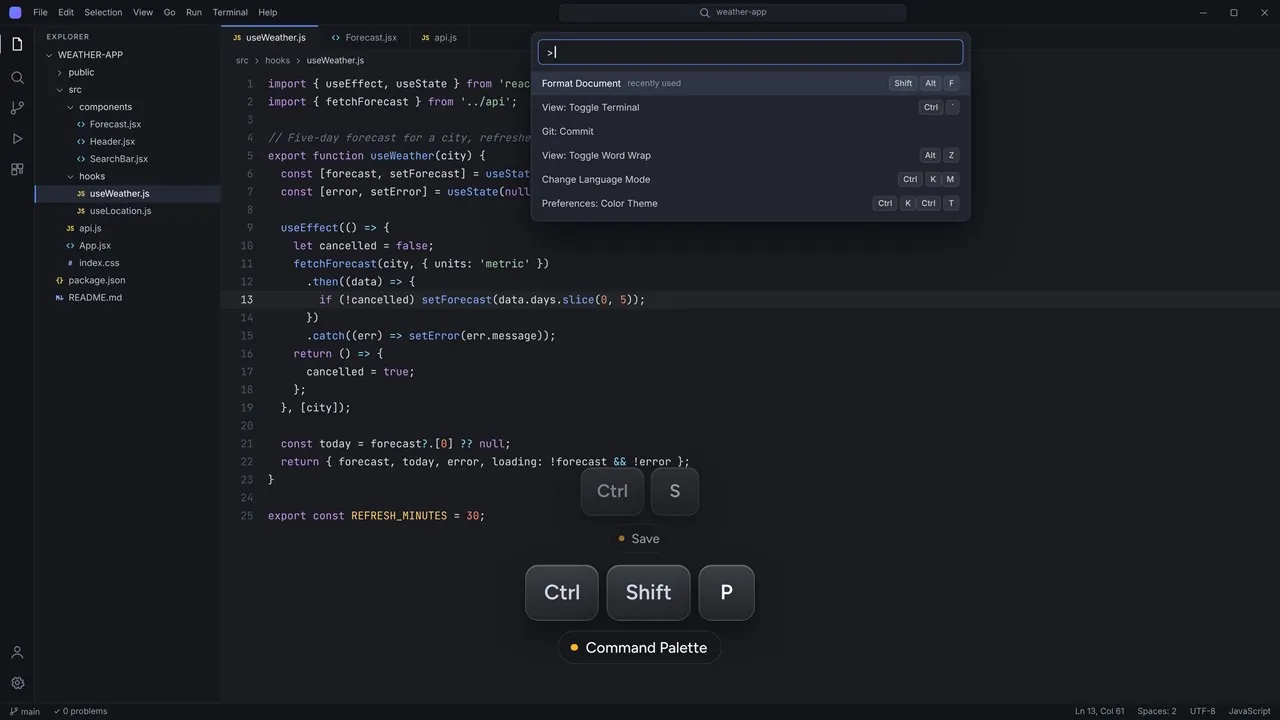
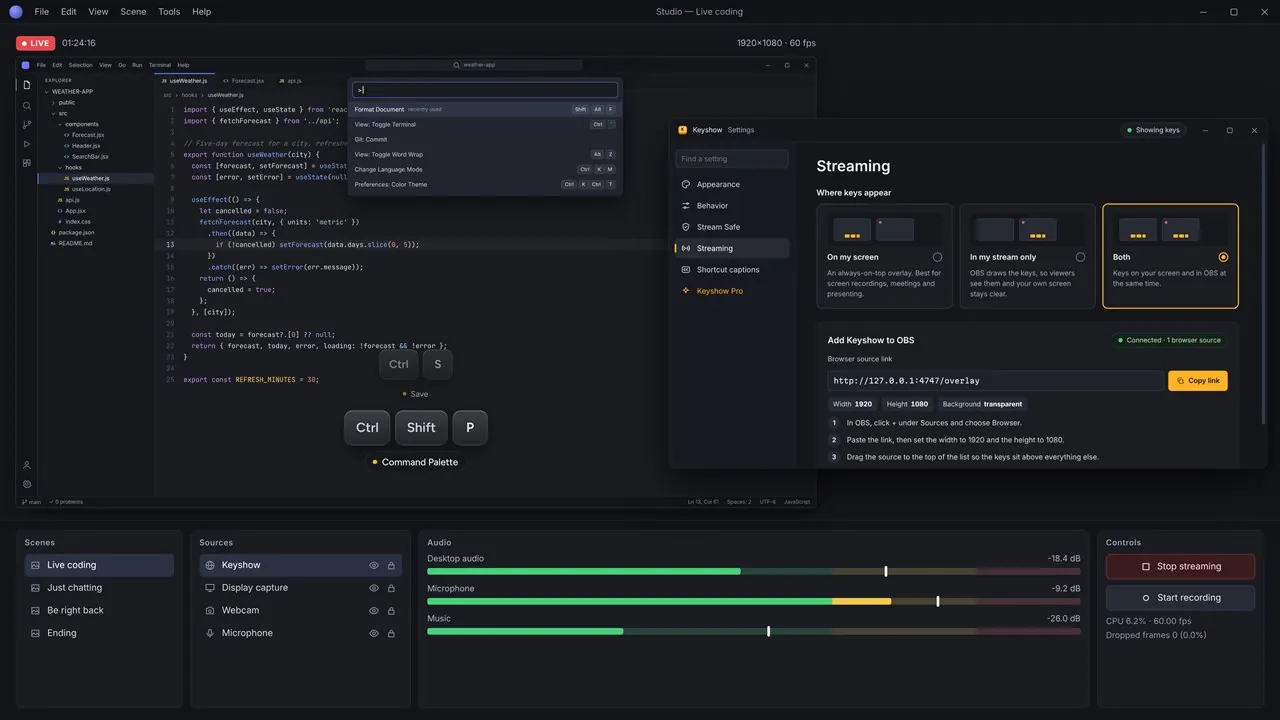
Press Ctrl + Shift + P and the keys glide onto the bottom of your screen, then slide away two seconds later. Press Ctrl + Z three times and you see Ctrl + Z ×3, not three rows, and two-step shortcuts such as Ctrl + K, then Ctrl + S stay together on one row.
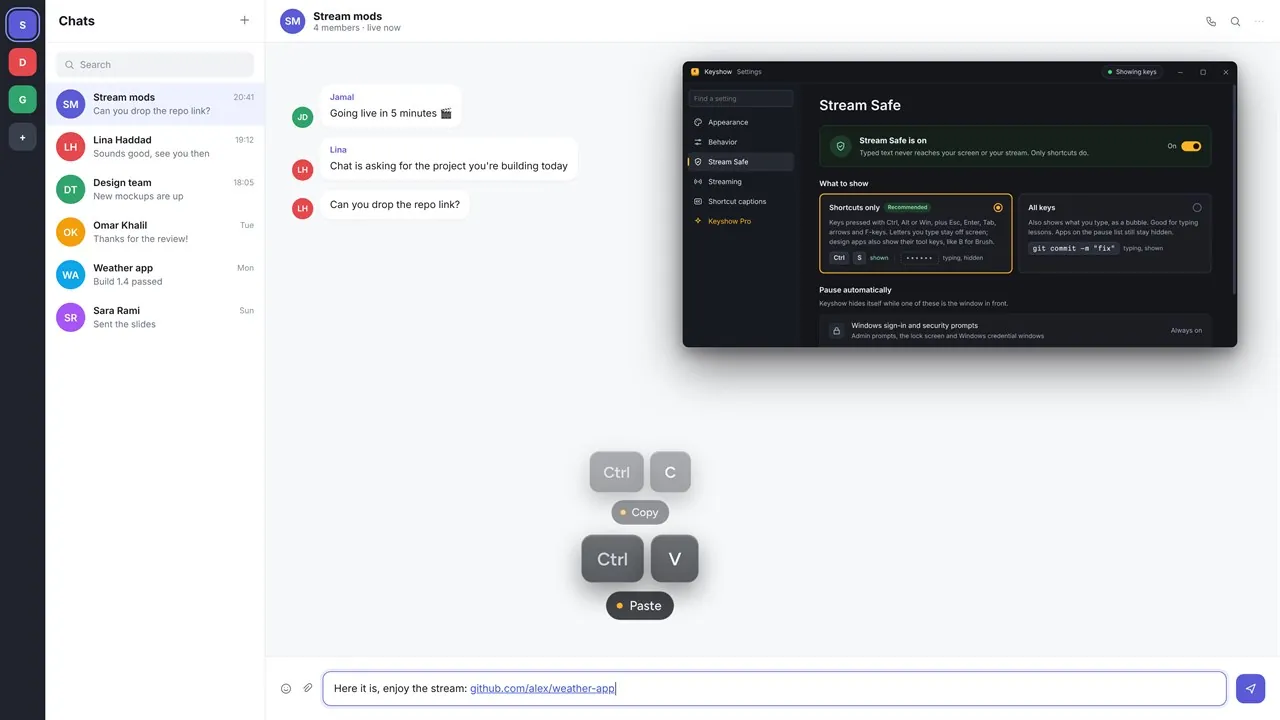
Keyshow is Stream Safe from the first second. By default it shows shortcuts only, so what you type, from passwords to chat messages, never reaches your screen or your stream, and it pauses itself in password managers and Windows security prompts. Teaching typing? Switch to All keys and typed text appears as a bubble.
Keep the keys on your screen for recordings, meetings and presentations, or add Keyshow to OBS with one link so viewers see the keys while your own screen stays clear; the link works in any app with a browser source, such as Streamlabs Desktop. Choose the Glass, Chiclet or Paper theme, the corner, size, timing and animation, show mouse clicks, and hide or show Keyshow from anywhere with Ctrl + Alt + Shift + K.
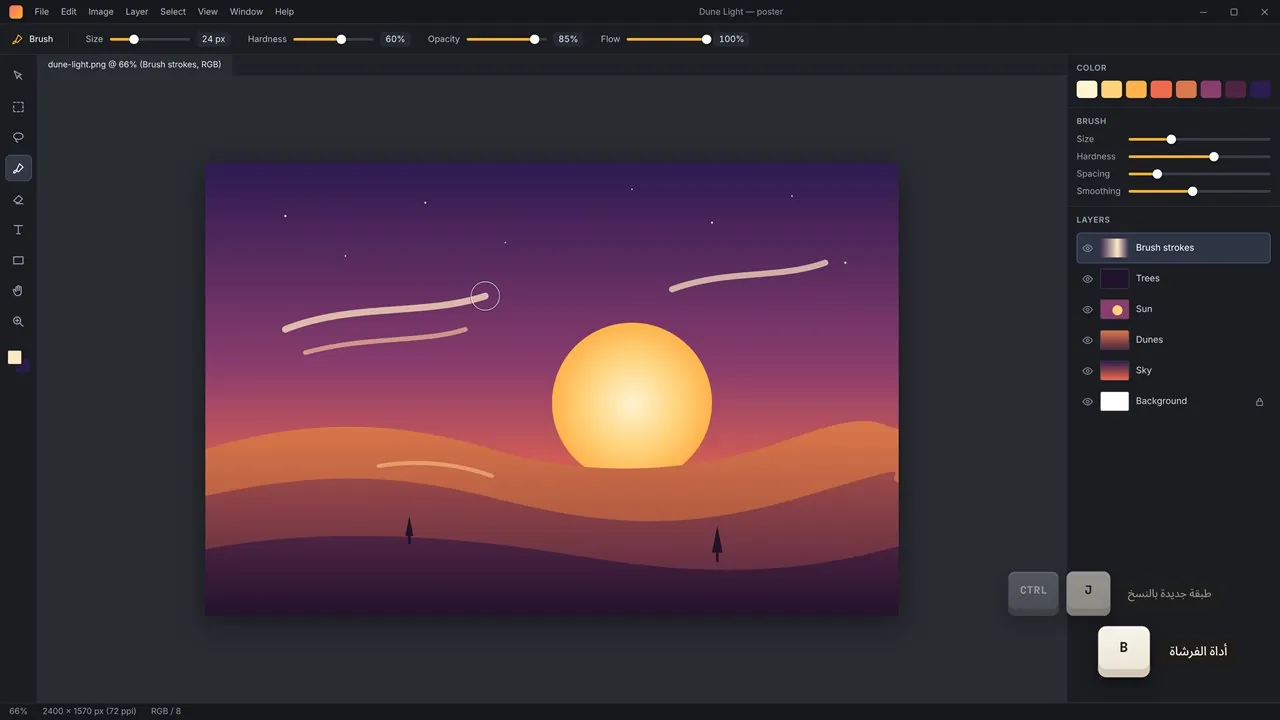
Keyshow Pro is a one-time purchase. It adds the Keycap, Neon and Phosphor themes; shortcut captions such as “Command Palette” under Ctrl + Shift + P, with ready-made packs for Windows, VS Code, Chrome, Edge, Firefox, Photoshop, Premiere Pro, Blender, Figma and Excel in English or Arabic; .srt caption files of every shortcut, timed to your recording; and no keyshow tag on your video.
Key features
- Stream Safe: only shortcuts appear, so passwords and chat messages never reach your stream
- Counts repeats (Ctrl + Z ×3) and keeps two-step shortcuts on one row
- On your screen, in OBS only, or both
- Works in any app with a browser source, such as Streamlabs Desktop
- Mouse clicks, plus Ctrl + Click, Shift + Click and Ctrl + Scroll
- Pauses itself in password managers and Windows security prompts
- Any corner, any size, your timing; follows your mouse across monitors
- Hide or show from anywhere with Ctrl + Alt + Shift + K
- Glass, Chiclet and Paper themes, plus Keycap, Neon and Phosphor with Pro
- Pro: shortcut captions in English or Arabic for popular apps
- Pro: .srt caption files of every shortcut for your video editor
Who it's for
People who record tutorials, stream, teach or present on Windows and want viewers to see every shortcut they press.