
ExecuFlow
ExecuFlow is a command center for leaders who run a portfolio of projects, a team and a global calendar of engagements at the same time.

One-time purchase
About ExecuFlow
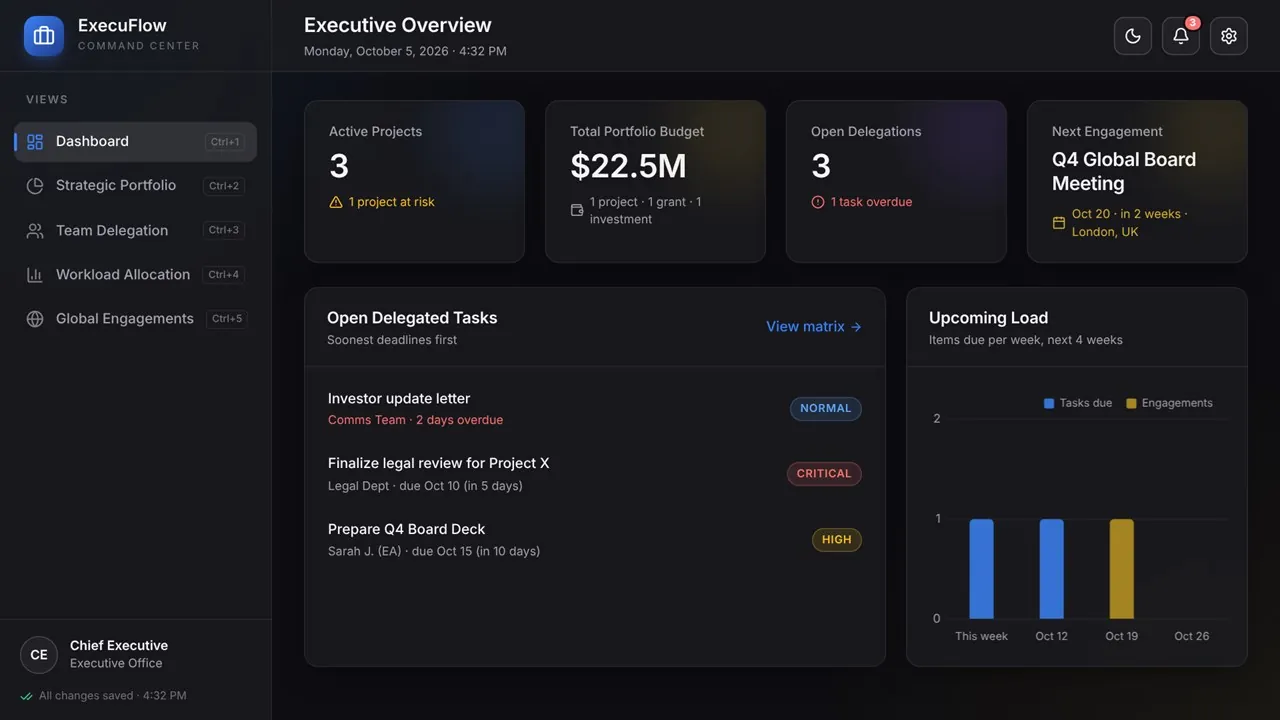
Open the app and see what matters today: active projects and how many are at risk, the total portfolio budget, open delegations with anything overdue, and your next engagement. Open tasks are sorted by deadline, and the Upcoming Load chart shows what lands in each of the next four weeks.
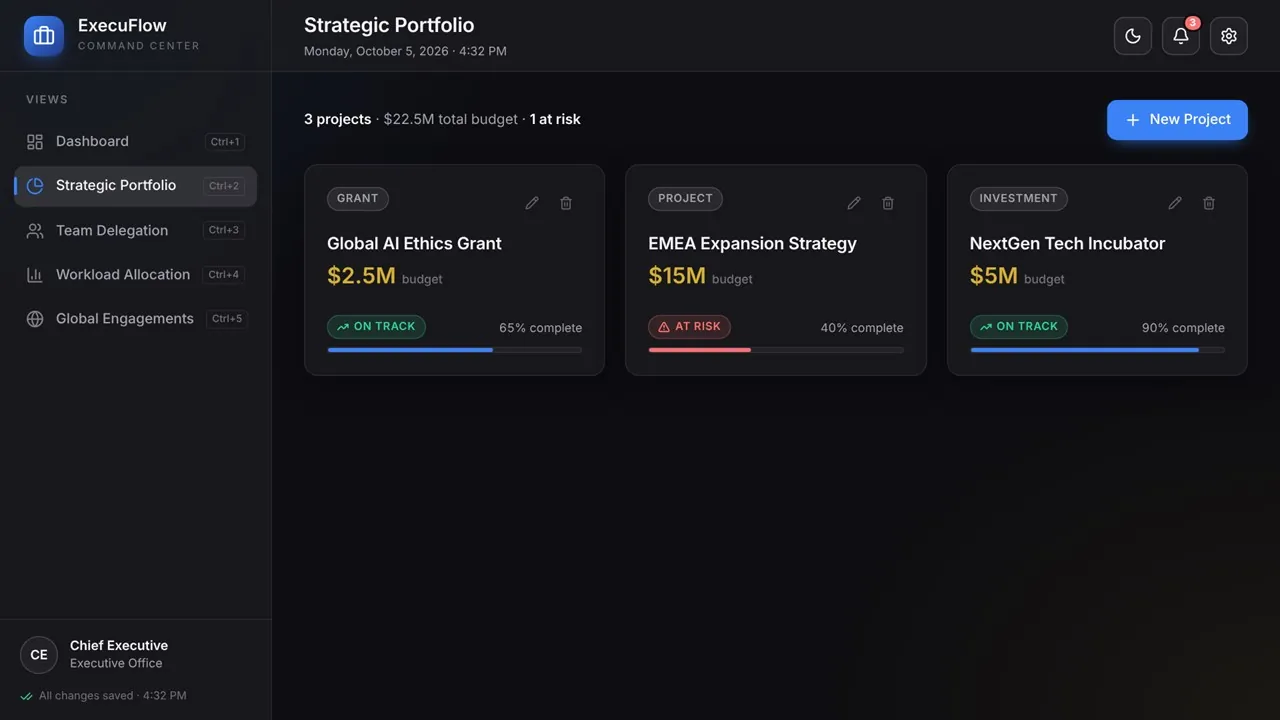
Track grants, investments, initiatives and projects as cards with type, budget, status and progress. Delegate work packages to assistants, departments or partners with priority, deadline and status; overdue and due-soon tasks are flagged automatically. Four charts built from your data show load per assignee, budget by project, an eight-week deadline pipeline and the status mix, so you can see who is stretched before it becomes a problem.
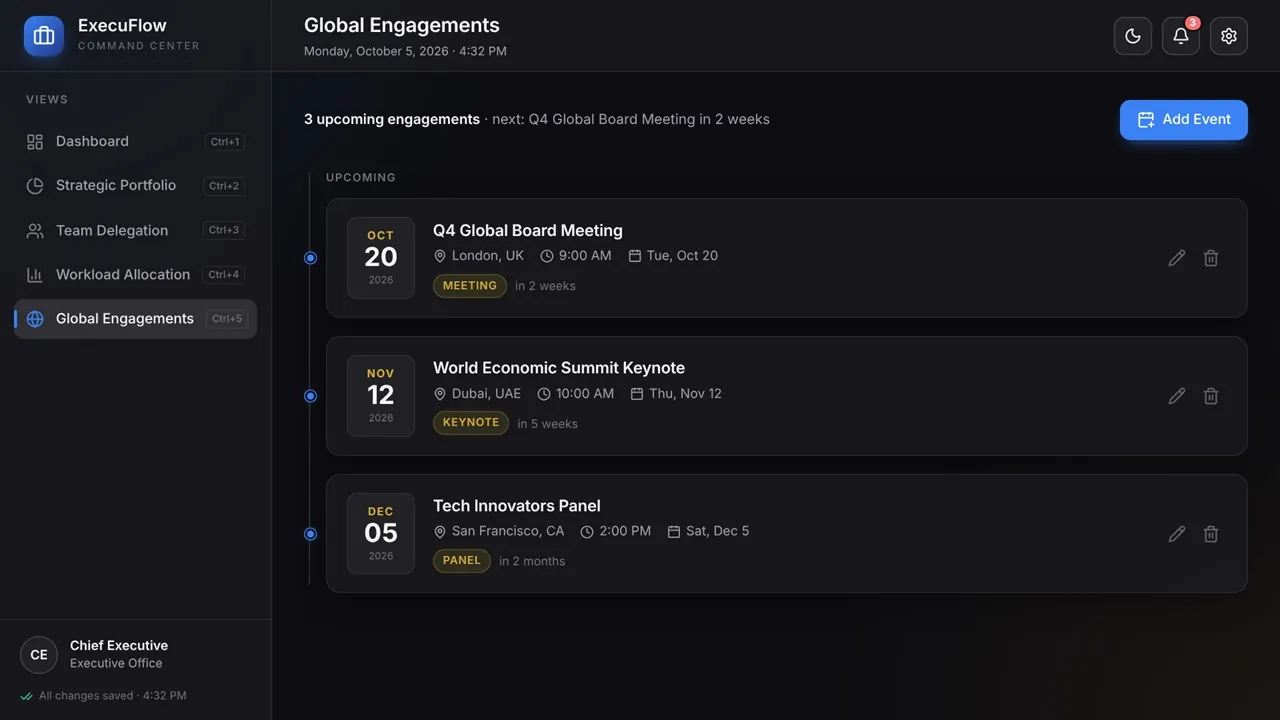
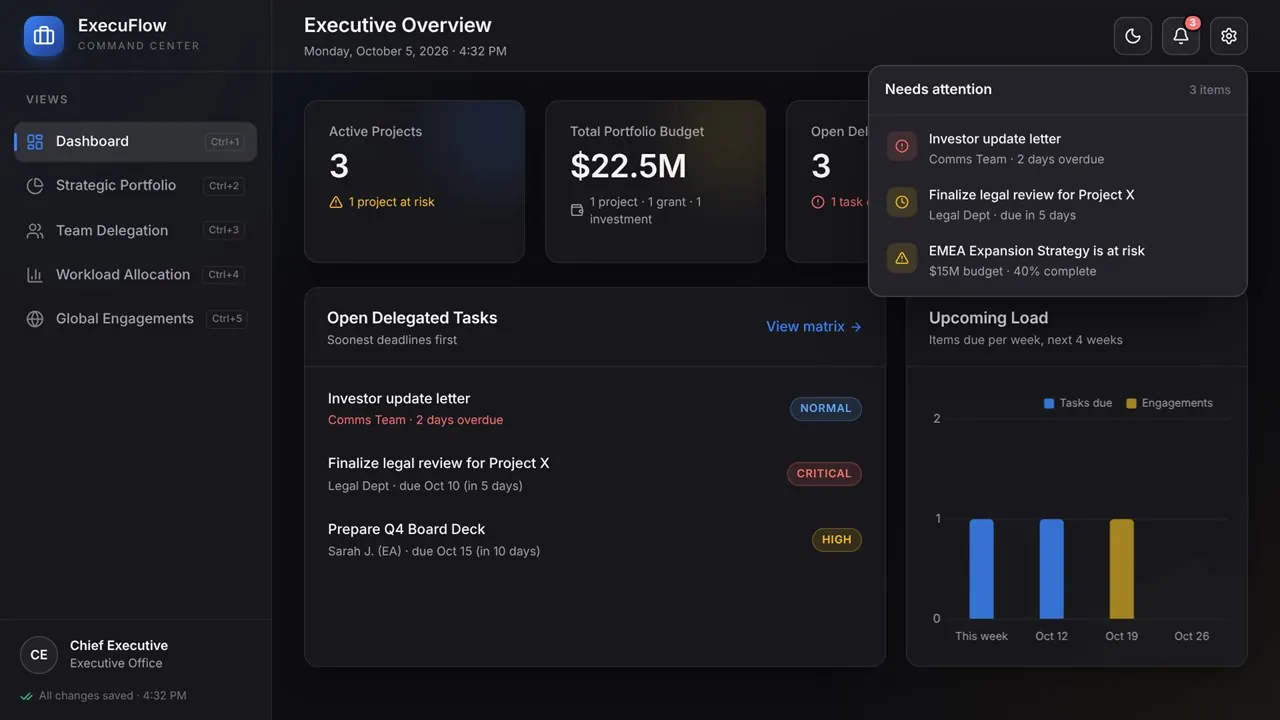
Keynotes, board meetings, panels, conferences and travel sit on one timeline, and an alerts center collects overdue tasks, tasks due within seven days, engagements in the next fourteen days and projects at risk. Everything is saved on your PC automatically, with no account and no cloud, and a one-click backup file moves your data to another PC.
Key features
- Executive overview: active projects, portfolio budget, open delegations and your next engagement
- Portfolio cards with type, budget, status and an editable progress bar
- Delegation matrix with assignee, priority, deadline and status
- Overdue and due-soon tasks flagged and sorted automatically
- Workload charts: load per assignee, budget by project, 8-week deadline pipeline and status mix
- Engagements timeline for keynotes, board meetings, panels, conferences and travel
- Alerts for overdue tasks, tasks due within 7 days, engagements in the next 14 days and projects at risk
- One-click backup and restore
- Keyboard shortcuts: Ctrl+1 to 5 to switch views, Ctrl+N for a new record, Ctrl+E to export a backup
- Light and dark themes that follow Windows
- Autosave on every change
- 100% offline: no account, no cloud, no subscription, no ads
Who it's for
Leaders who manage a portfolio of projects, delegated work and a full calendar of engagements at the same time.