Research OS
Research OS is a focused workspace for academic work: the few tasks that matter this week, the daily habits that keep research moving, and blocks of deep work between lectures, meetings and email.

One-time purchase. Free trial available.
About Research OS
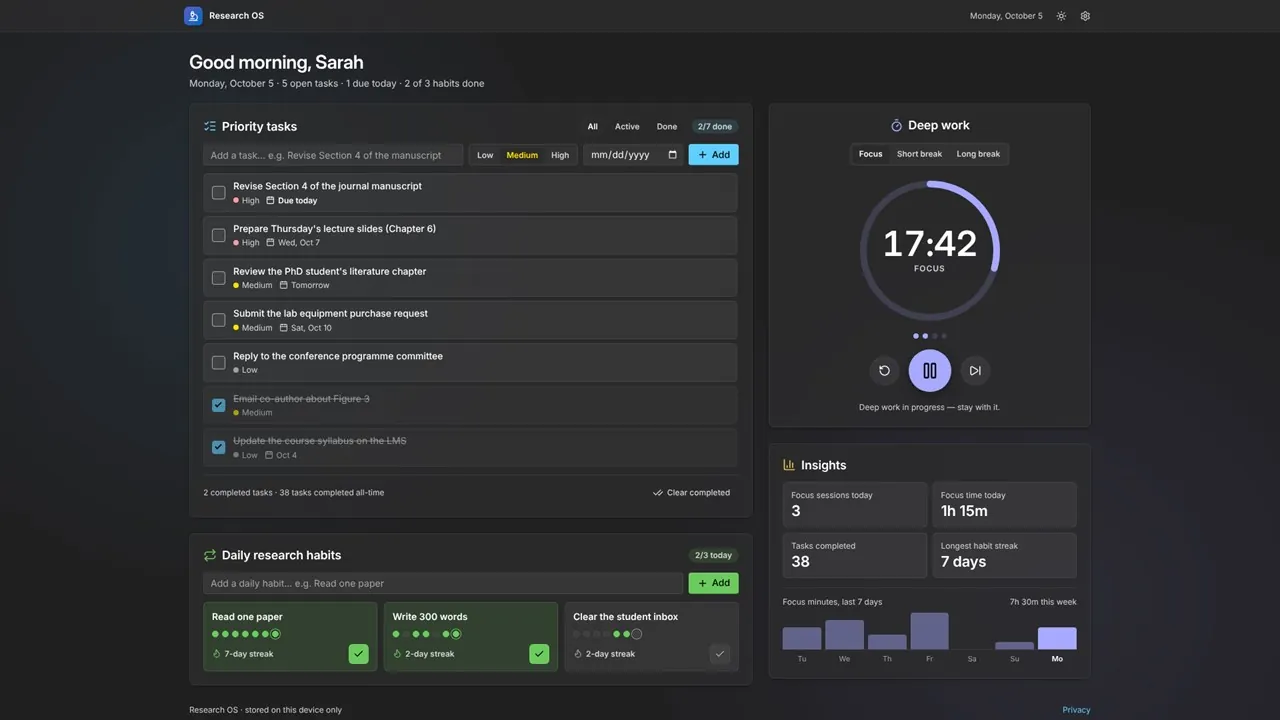
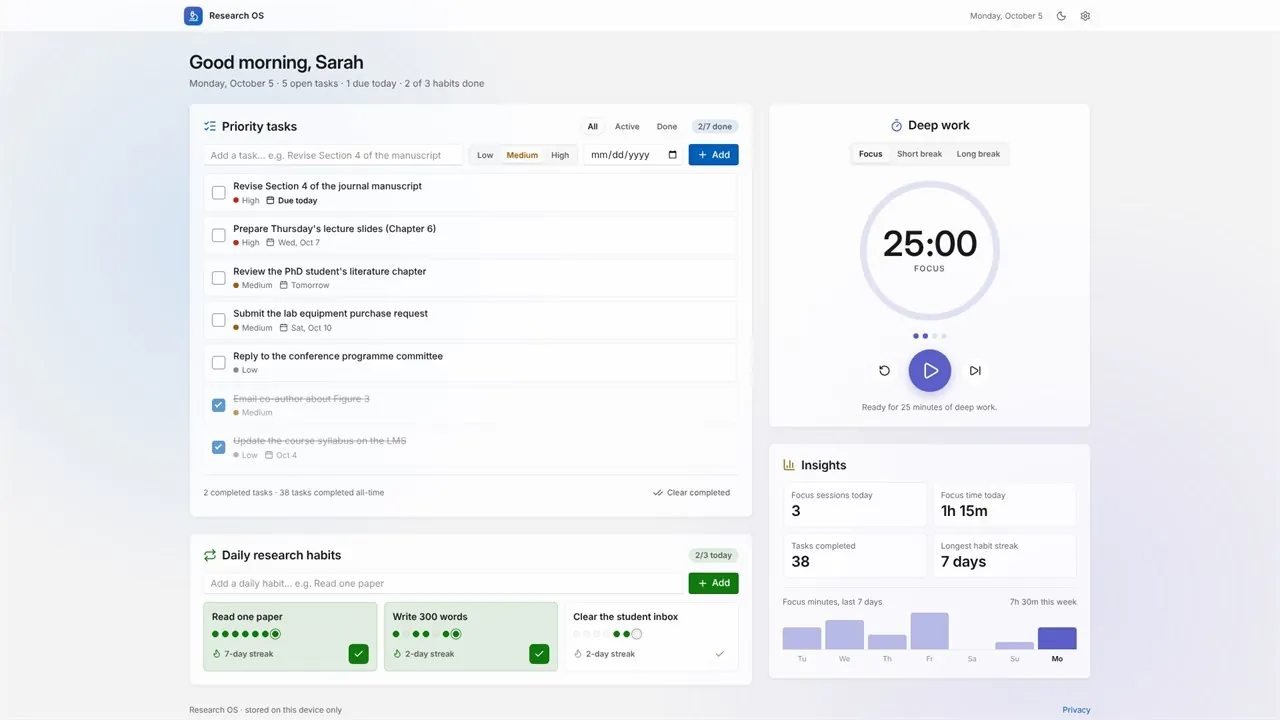
Add tasks with a priority and an optional due date, and the list sorts itself so urgent, important work stays on top; overdue items and tasks due today are flagged. Turn “read one paper”, “write 300 words” or “clear the student inbox” into daily habits, tick them off each day and watch the streak grow.
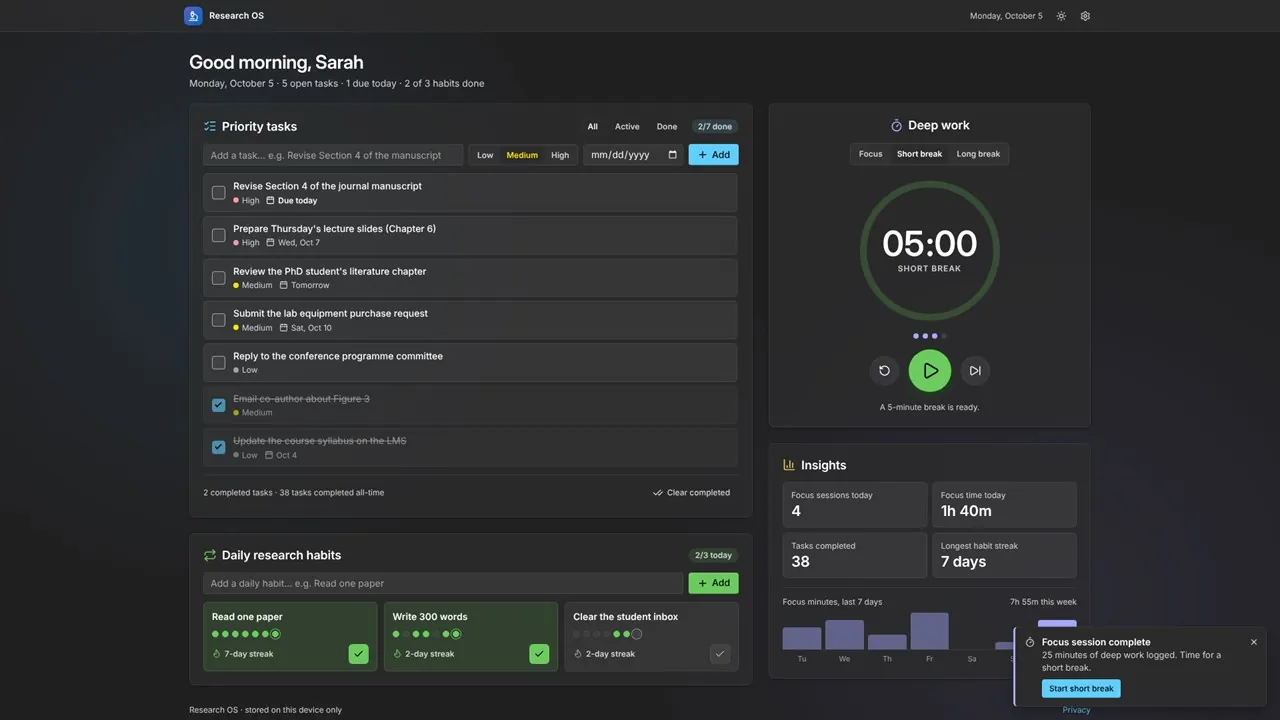
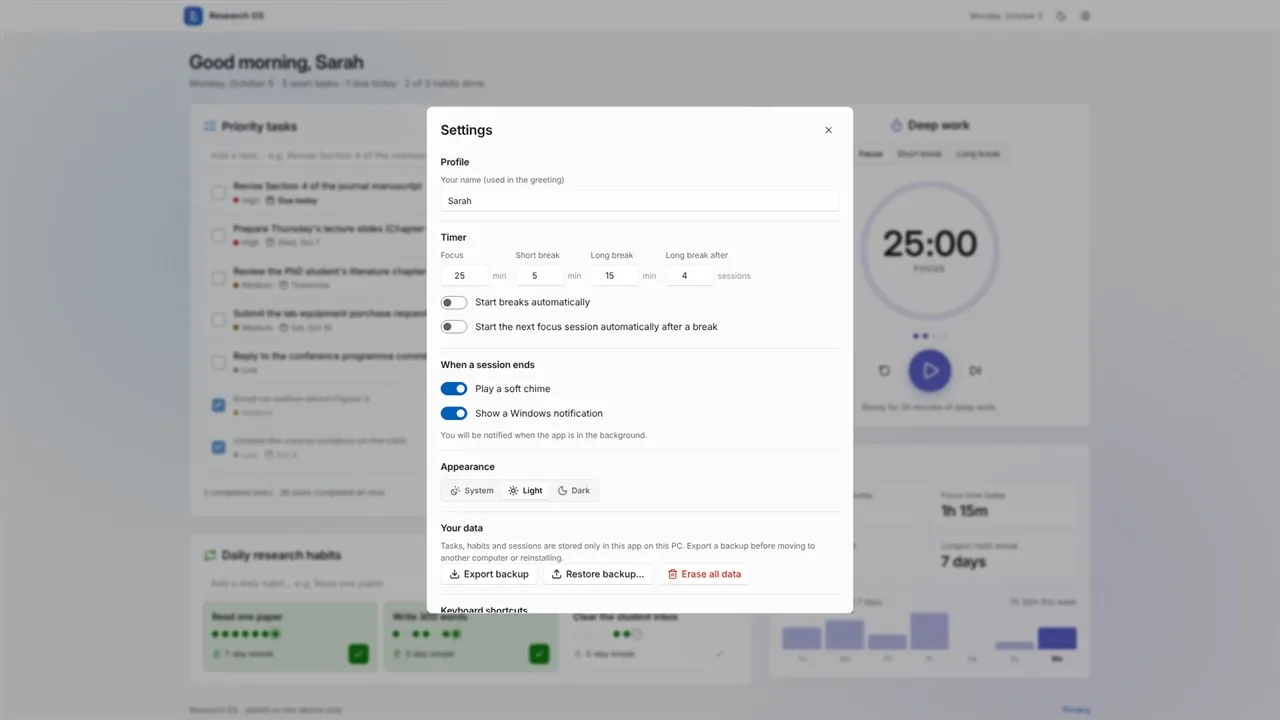
The deep-work timer runs classic 25/5/15 focus and break sessions, fully adjustable. A soft chime and a Windows notification mark the end of a session, even when the app is minimized, and completed sessions are logged automatically. Insights show today's focus time, tasks completed, your longest habit streak and a seven-day focus chart.
There is no account, no sign-in and no cloud. Everything is stored on your PC and works offline after the first launch. Export a backup file whenever you like and restore it on a new computer.
Key features
- Priority tasks with due dates, sorted so urgent, important work stays on top
- Overdue and due-today flags, Active and Done filters, and in-place editing
- Daily research habits with streaks and a seven-day history
- Deep-work focus timer with short and long breaks (25/5/15 by default, adjustable)
- Chime and Windows notification when a session ends, even while minimized
- Optional auto-start of breaks and of the next focus session
- Insights: focus time today, tasks completed, longest streak and a 7-day chart
- Keyboard shortcuts: Space to start or pause, / to add a task
- Light and dark themes that can follow Windows
- One-click backup to a file, and restore on any PC
- Works offline after the first launch; no account, no tracking
Who it's for
Professors, lecturers, postdocs, PhD and master's students, lab managers, and anyone whose week mixes writing, reviewing, teaching and thinking.