
Lasq
لصق
Lasq keeps everything you copy, turns the text you type often into snippets, and pastes either back into any Windows app with one keystroke.

One-time purchase
About Lasq
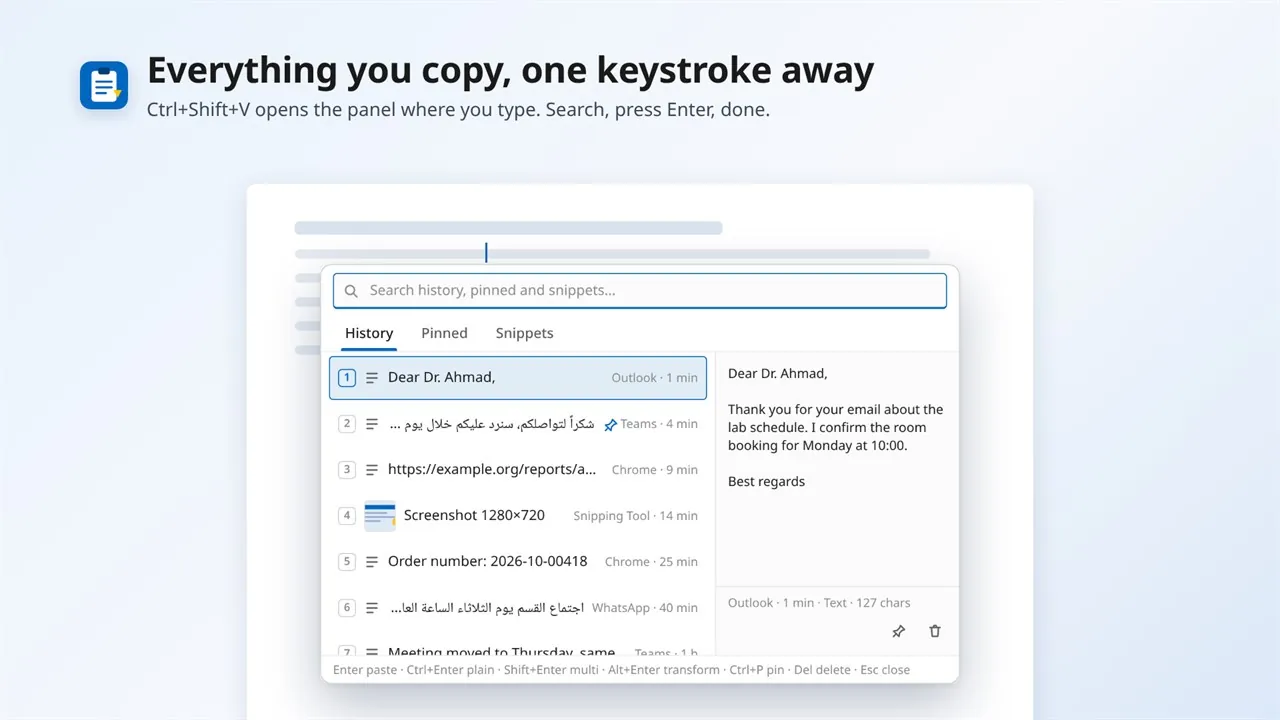
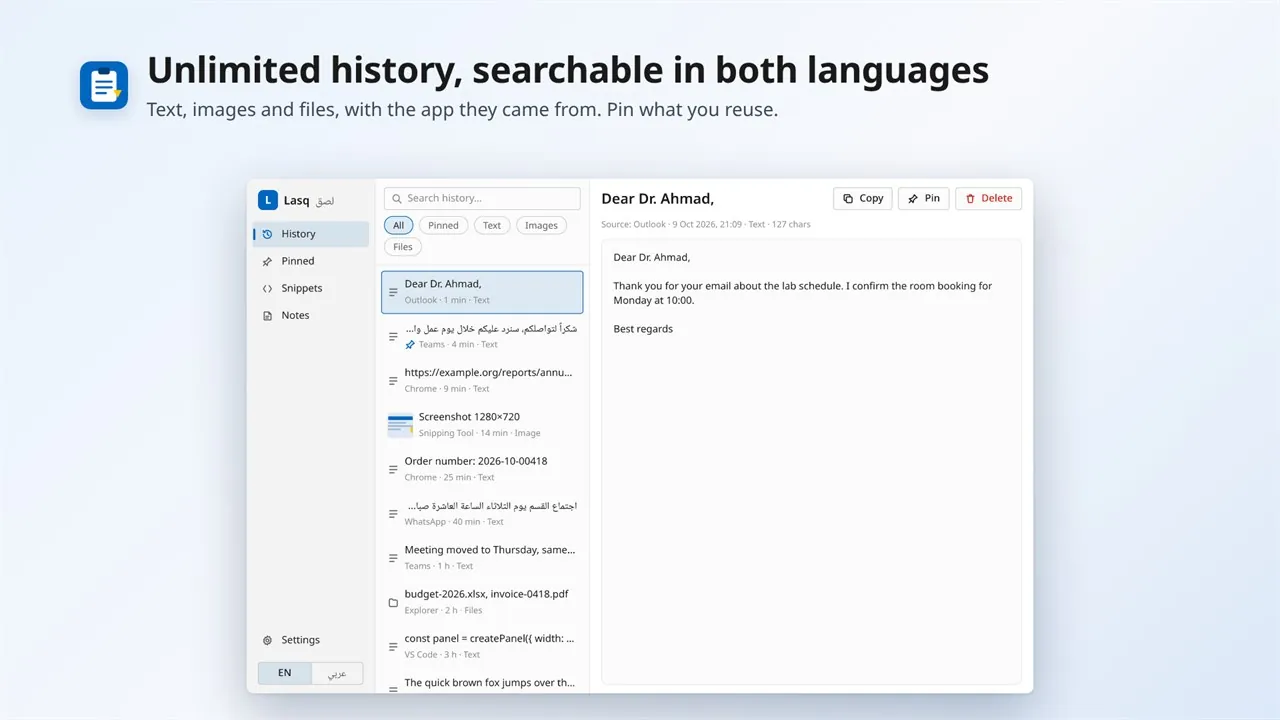
Every text, image and file list you copy is saved with the app it came from and the time. Press Ctrl+Shift+V and a small panel opens right where you are typing: type a few letters to filter, then press Enter to paste, Ctrl+Enter for plain text, or 1 to 9 for the first results. Search works with Arabic text with or without diacritics, and you can pin what you reuse.
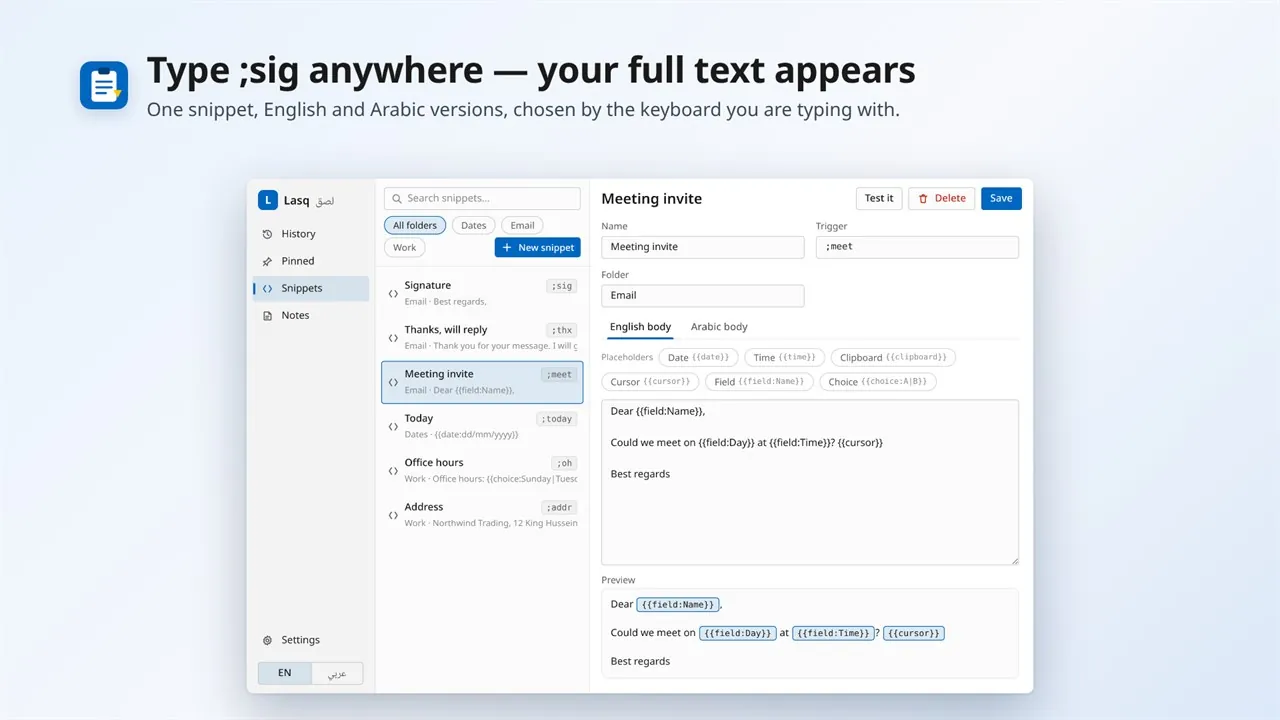
Save the replies, signatures, addresses and phrases you type every day as snippets with a short trigger such as ;sig. Type the trigger in Outlook, Word, Teams, Chrome or any other program and it is replaced by the full text. Snippets can include the date, the time, the clipboard, fill-in fields and choices, and one snippet can carry an English and an Arabic version, chosen by the keyboard language you are typing in.
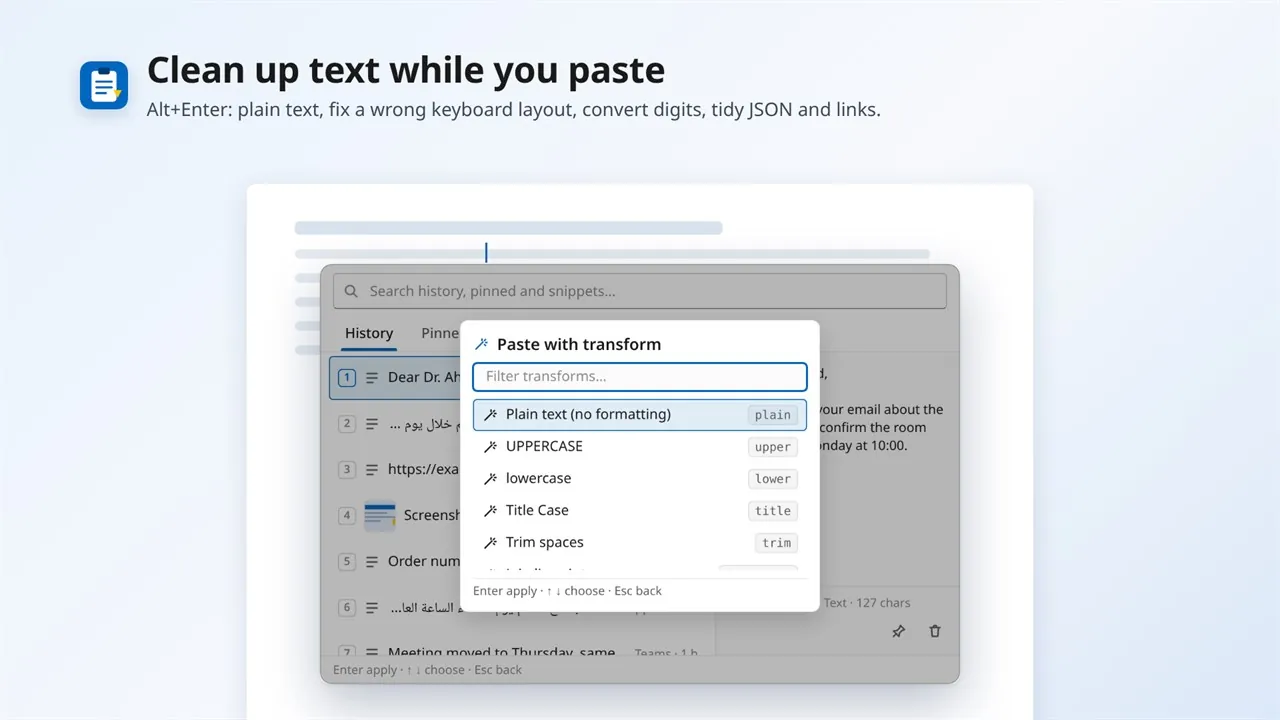
Paste as… cleans text on the way in: plain text, case changes, trimmed spaces, joined lines, Arabic-Indic digits, pretty-printed JSON, and text typed on the wrong keyboard layout fixed. Lasq never connects to the internet, honors password managers' clipboard protection, lets you exclude any app, skips text that looks like a payment card number, and can encrypt its data with Windows DPAPI.
Key features
- Unlimited, searchable clipboard history for text, images and files, with the source app and time
- Paste panel at your cursor: Ctrl+Shift+V, type a few letters, Enter
- Snippets with the date, time, clipboard, fill-in fields and choices
- Text expansion in any app: type ;sig and the full text appears; Backspace undoes it
- Bilingual snippets: one trigger, English and Arabic versions chosen by your keyboard language
- Paste as: plain text, case changes, fix wrong keyboard layout, Arabic-Indic digits, JSON, links
- Quick capture with Ctrl+Shift+N from anywhere, for a note or a new snippet
- Pause capture at any time with Ctrl+Alt+P
- Private by design: fully offline, no account, password-manager aware, optional encryption
- English and Arabic interface with a full right-to-left layout
Who it's for
Anyone who copies, pastes and retypes the same text many times a day, in English, Arabic or both.