
Everback
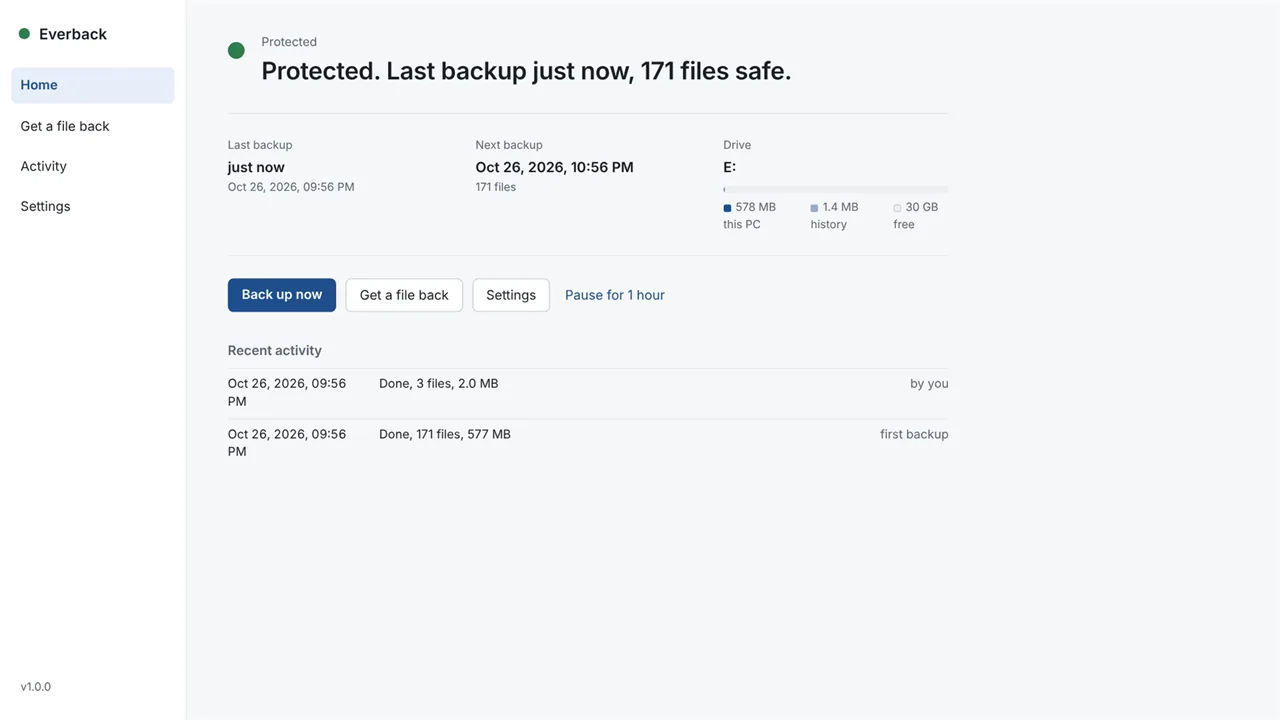
Everback keeps your files safe on a drive you own, without a subscription and without the cloud. Plug in a drive, press one button, and get any file back from yesterday or any day.

One-time purchase. 15-day free trial; restoring files is always free.
About Everback
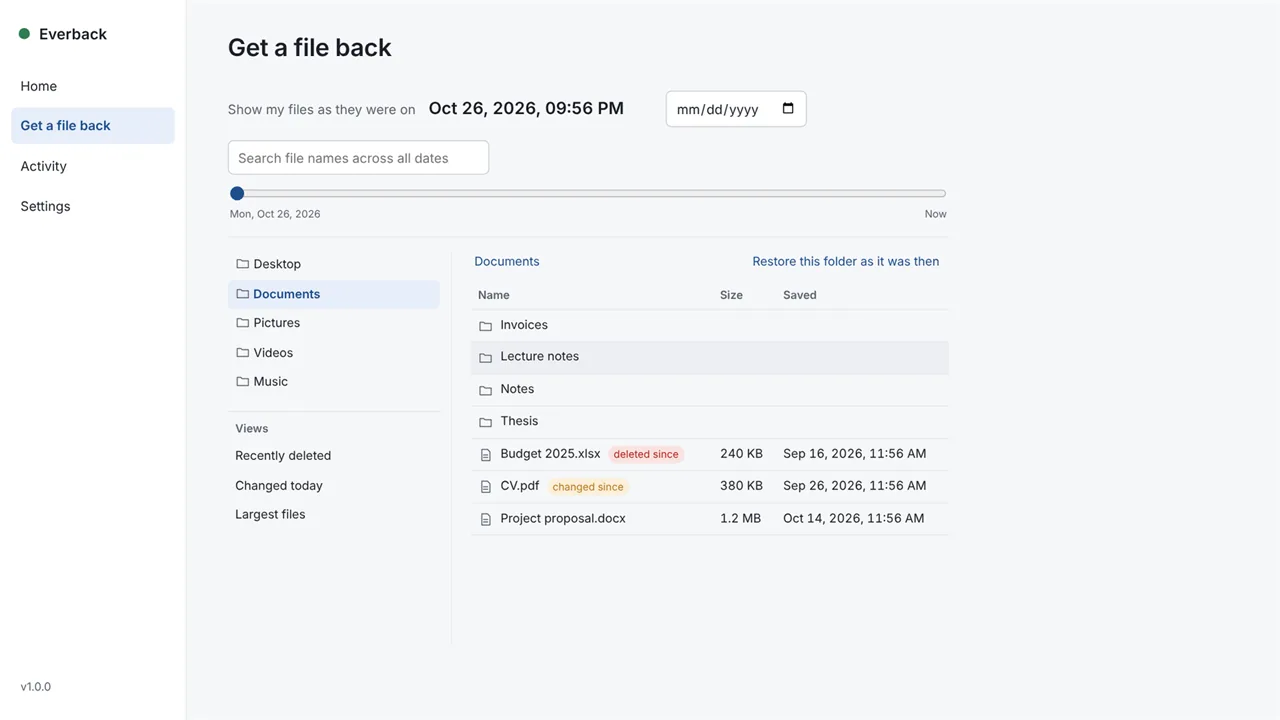
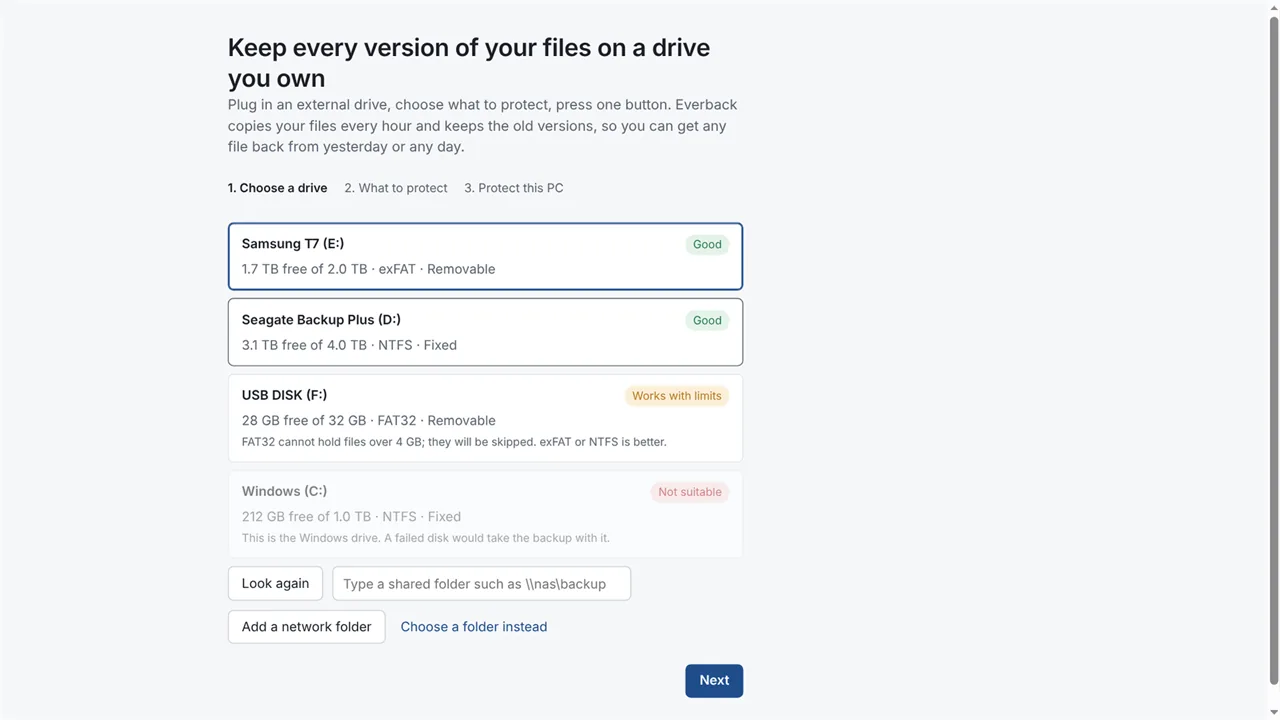
Plug in an external drive or choose a shared folder on your network, press Protect this PC, and Everback quietly copies your Desktop, Documents, Pictures and any folder you add, every hour, while you work. It keeps the old versions too: hourly for a day, daily for a month and weekly after that. Slide back to how a folder looked an hour ago, last Tuesday or last spring, and bring any file back with one click. Deleted something by mistake? It waits in Recently deleted for thirty days.
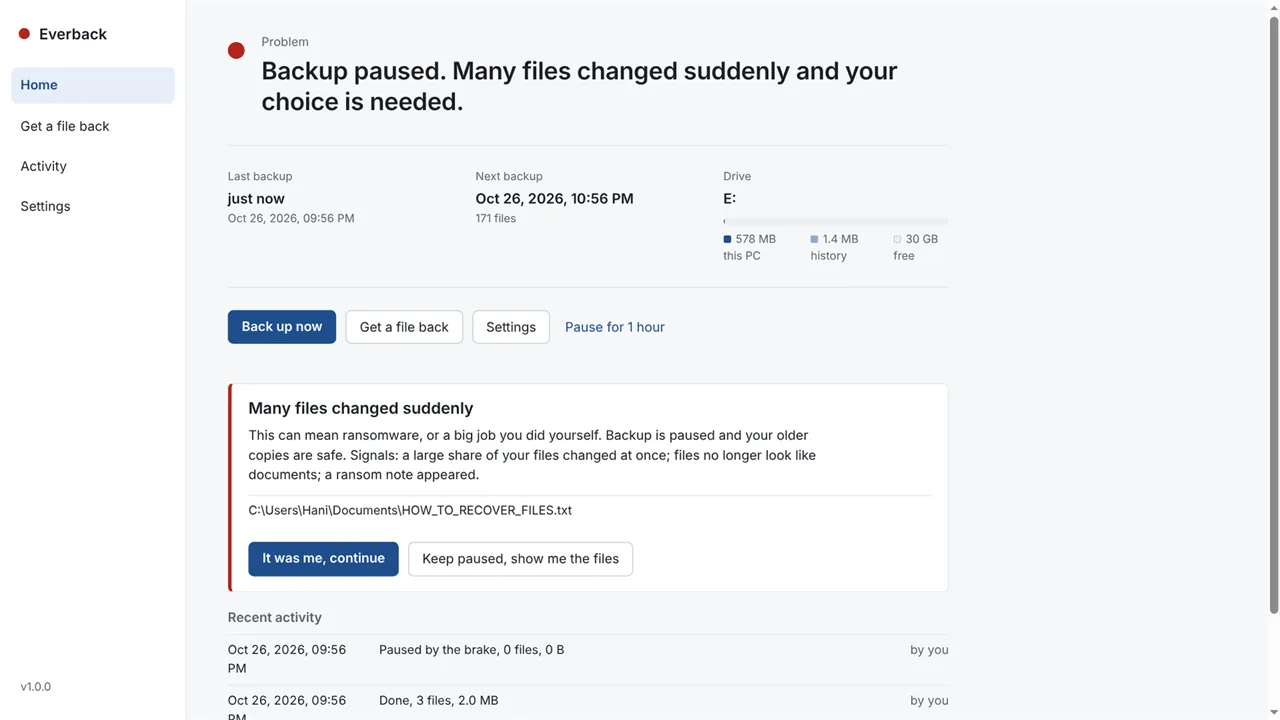
Everything is stored as plain files. The newest copy of every document, photo and video opens straight from the drive in File Explorer, Word or Photos, with no app needed, and older versions sit beside it with the date in the name, so your backup never depends on Everback. A dot in the system tray turns green when you're protected, amber when the drive hasn't been seen for a while and red when something needs you. If many files suddenly change or look scrambled, Everback pauses and keeps your older copies safe until you say it was you.
Nightly and eject mode keeps the drive offline between backups, and the New PC wizard brings everything over from an old PC's backup. Try it free for 15 days with every feature: after the trial, new backups stop until you buy, but you can always open the app and get your files back. Nothing leaves your computer: no account, no servers, no tracking.
Everback backs up your files and their history. It doesn't make a full image of Windows.
Key features
- Three-click setup: choose a drive, choose folders, press Protect this PC
- Automatic hourly backup to a USB drive, external SSD or shared network folder
- Keeps every version: hourly for a day, daily for a month, weekly after that
- Time slider: see any folder as it was on any day and restore with one click
- Recently deleted view and a search across all dates
- Plain files on the drive that open without the app
- Pauses the backup when many files change suddenly or look scrambled
- Green, amber and red status in the tray, with plain-language alerts
- Nightly and eject mode keeps the drive offline between backups
- New PC wizard brings everything over from an old PC's backup
- Restoring is always free, including after the trial
- No cloud, no account, no subscription
Who it's for
Anyone who keeps important documents, photos and projects on a Windows PC and wants every version safe on a drive they own, without a cloud subscription.