
Volumix
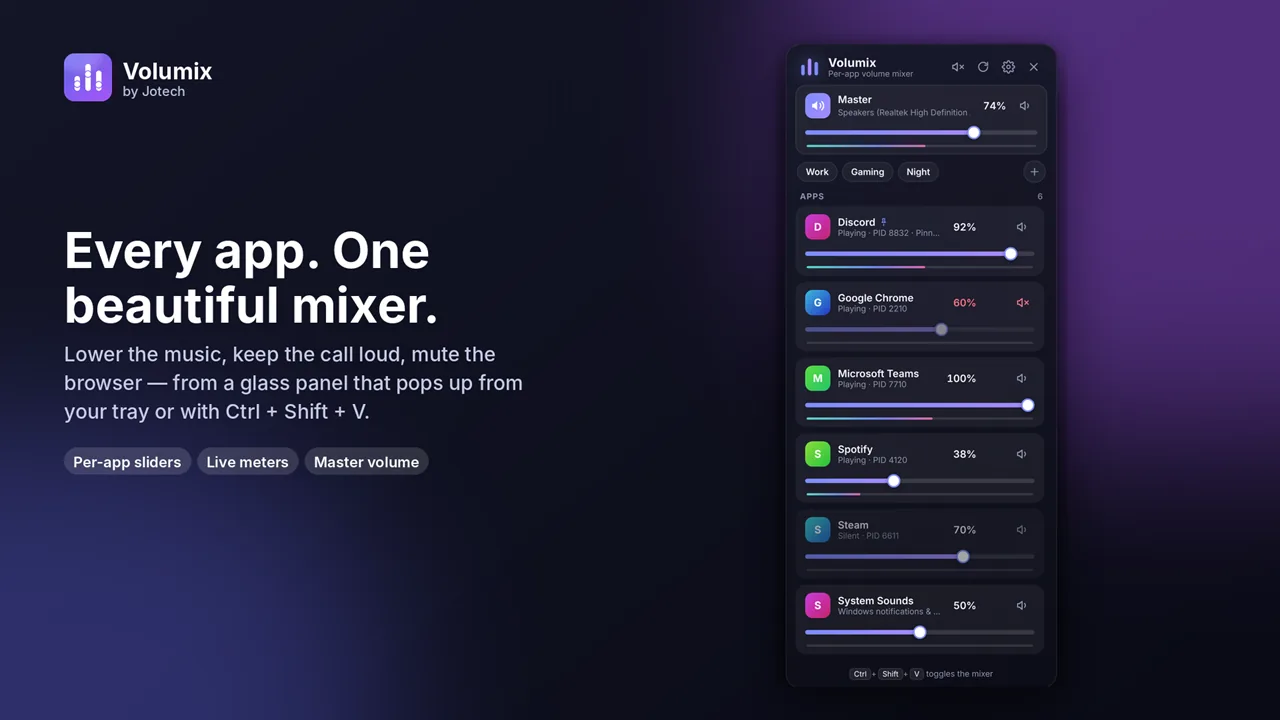
Volumix puts an audio mixer one click away in your system tray. Every app that is playing sound gets its own slider, mute button and live level meter, so you can turn down the music without touching the call.

One-time purchase. Free trial available.
About Volumix
Open Volumix from its tray icon or with Ctrl+Shift+V, a shortcut you can change. Lower the music, keep the call loud, mute a noisy browser or balance a game against a voice chat in seconds, with the master volume in the same panel. No more digging through Windows menus, and no more muting everything to silence one app.
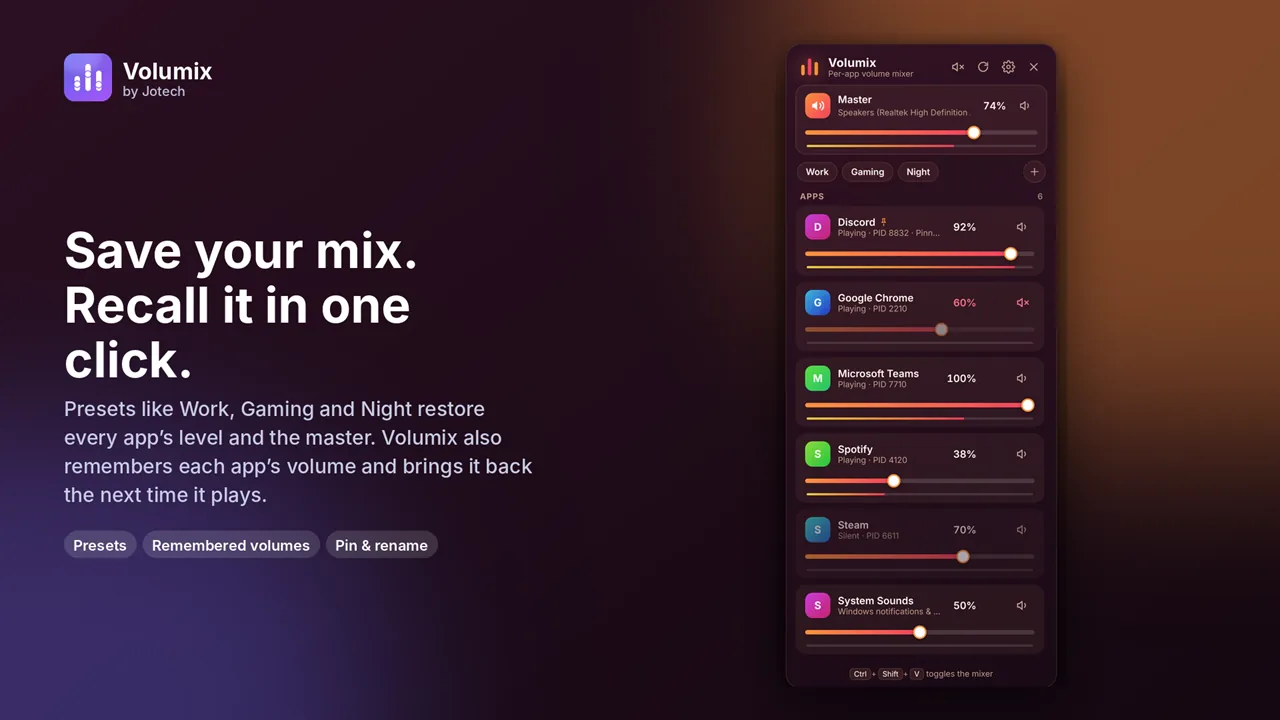
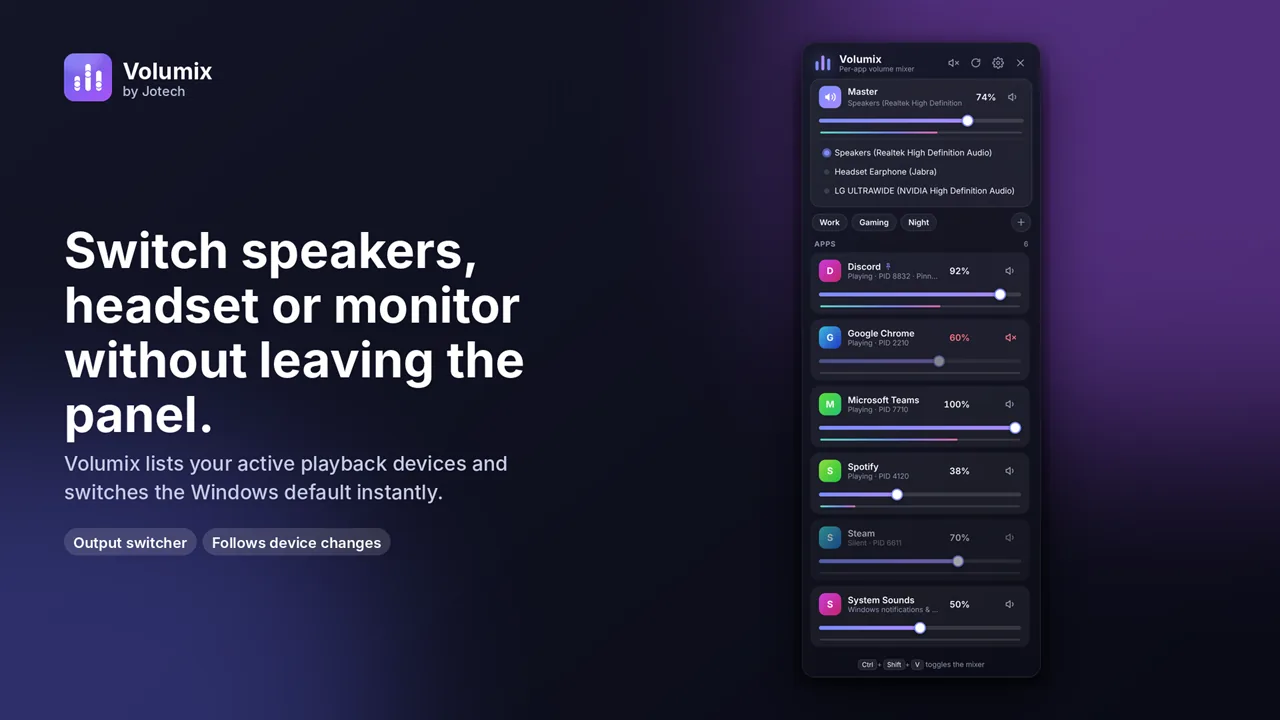
Save your whole mix as a preset such as Work, Gaming or Night, and recall it in one click. Volumix remembers each app's volume and restores it the next time the app plays. Solo one app or mute them all, and your previous mix comes back afterwards, and switch the output between speakers, a headset or a monitor from the same panel.
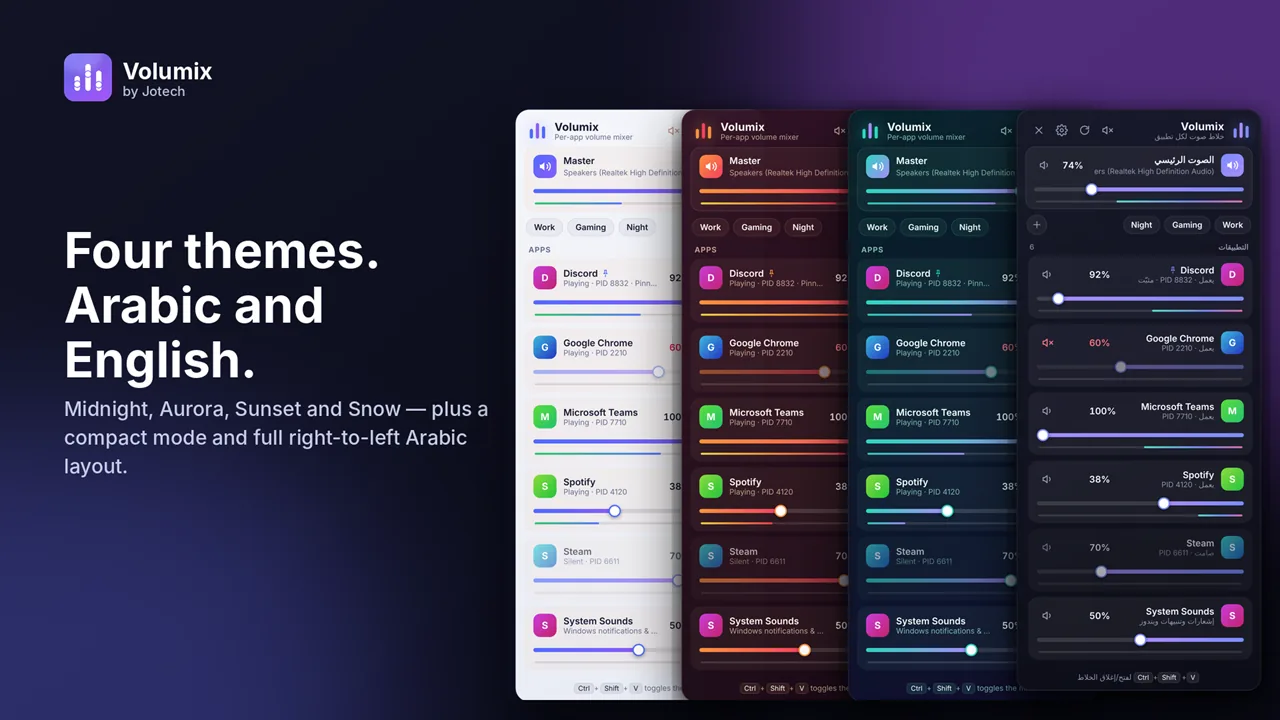
Rename, pin and reorder apps, choose one of four themes or a compact mode, and use it in English or Arabic with a right-to-left layout. Volumix uses no CPU while hidden, saves power on battery, restarts its own audio engine if something goes wrong, and backs up your settings automatically. It works entirely offline, with no account, no telemetry and no ads.
Key features
- Per-app volume sliders with live level meters
- Master volume and mute in the same panel
- Opens from the tray or with a global hotkey (Ctrl+Shift+V, customizable)
- Presets: save and recall your whole mix in one click
- Remembers each app's volume and restores it when the app plays again
- Solo one app or mute all, then restore your previous mix
- Switch the output device (speakers, headset, monitor) from the panel
- Rename, pin and reorder apps
- Four themes, a compact mode and reduced motion
- English and Arabic with a right-to-left layout
- Eco mode on battery and zero CPU while hidden
- Self-healing audio engine with a health panel and one-click restart
- Automatic settings backup, export and import
- No account, no telemetry, no ads
Who it's for
Anyone who juggles calls, music, games and videos on a Windows PC and wants each app at its own volume, from gamers and streamers to people who spend their day in online meetings.